

- Contract templates
- Case note templates
- Email templates
- PDF forms template
Creating Case With Multiple Contacts
When creating a case, first select the client. You will then see all available contacts displayed in a dropdown list. From there, select the contacts you wish to assign to the case.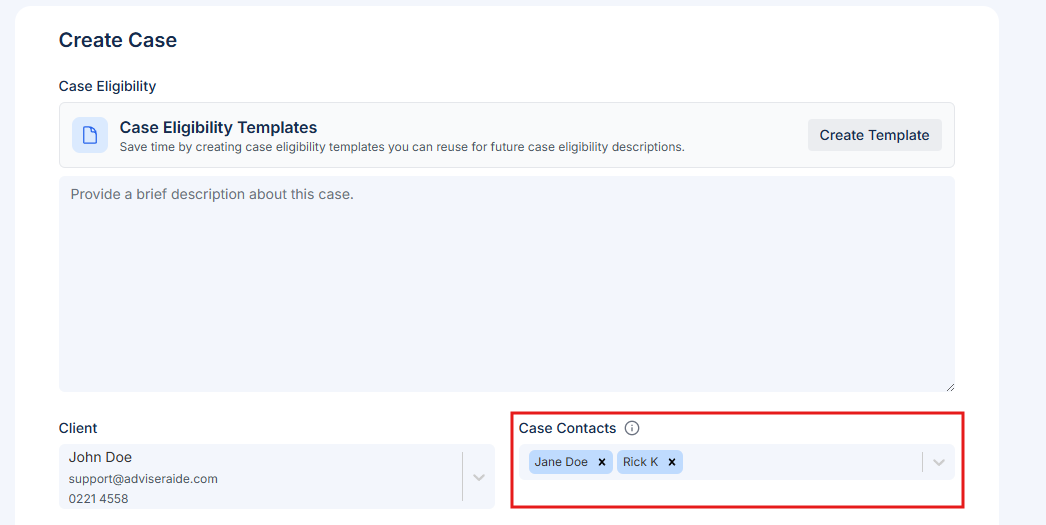
Using Contacts in Contract Templates
Once a case has been created with contacts, you can use those contacts in contract templates to automatically populate contact details. See Using Case Contact in Contract TemplatesUsing Contacts in Case Notes Template
1
Open the Notes tab and click Create Template
Open an existing case, then select Notes from the top tab. Next, click Create Template see following highlighted steps.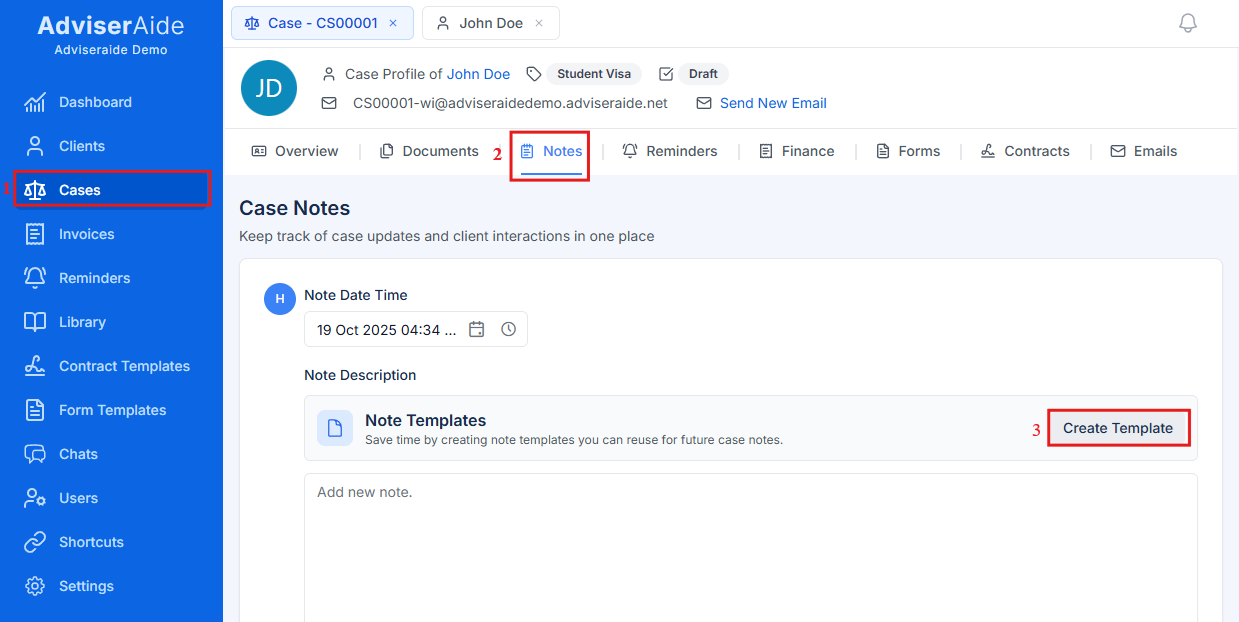
2
Insert placeholder fields
The Create Note Template window will open. Click the Insert Placeholder Field button and select the contact placeholders you’d like to use. In this example, two placeholders are used: Client Full Name and Contact 1 Full Name.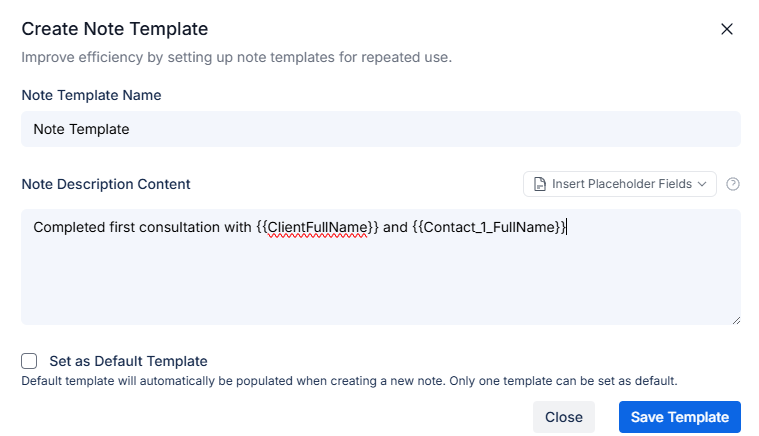
3
Use the template
Once you save the template, a Note Template button will appear. Simply click it, and the placeholders you assigned in Step 2 will automatically populate with the corresponding client and contact information as shown below.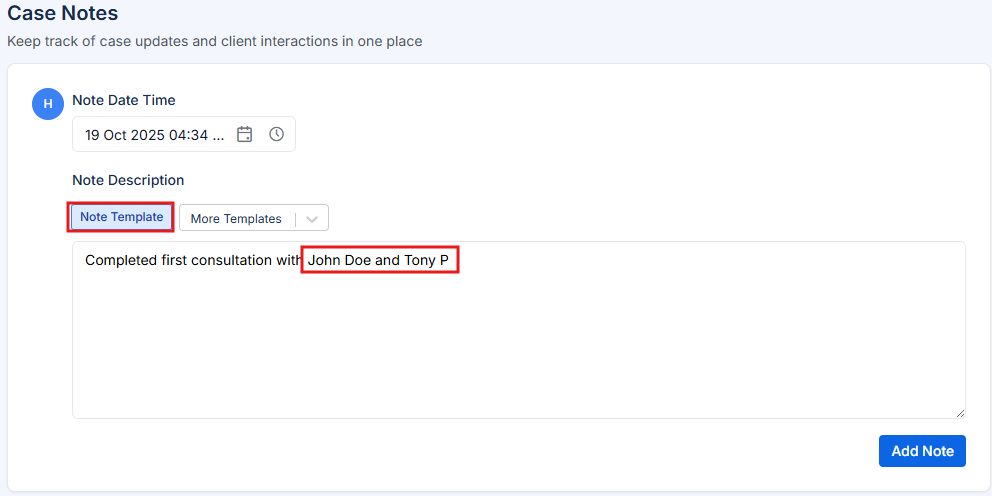
Using Contacts in Email Templates
The same procedure described above also applies to email templates. To create one:1
Go to the Email tab
Go to the Email tab.
2
Create a new email template
Click New Email, then select Create Template.
3
Use placeholders
Use the Client and Contact placeholders as needed.