

Adding a staff member may incur charges to your subscription. You’ll be informed of the charges when you sign up to a paid plan after trial period.
Creating a new user
1
Navigate to Users page
In the left-hand navigation menu, choose Users. This page lists all users associated with your company.
2
Review existing users
Review existing users to ensure the person you wish to add is not already listed.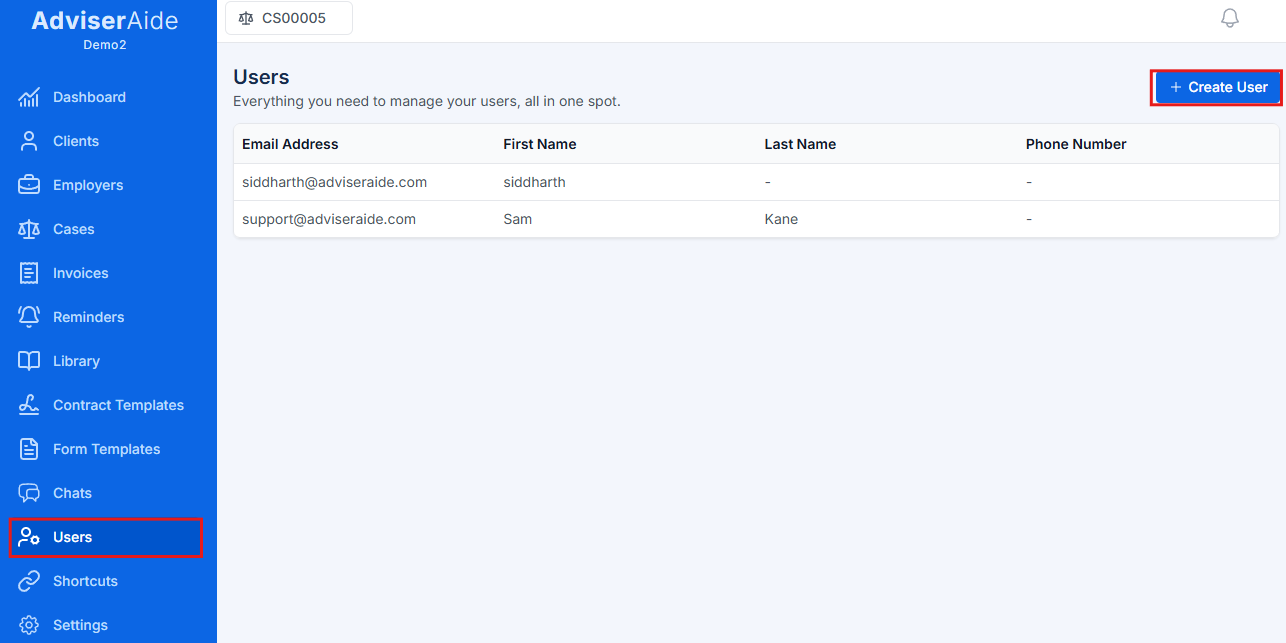
3
Click Create User
Click the Create User button at the top of the Users page. The following form will appear requesting the new user’s details.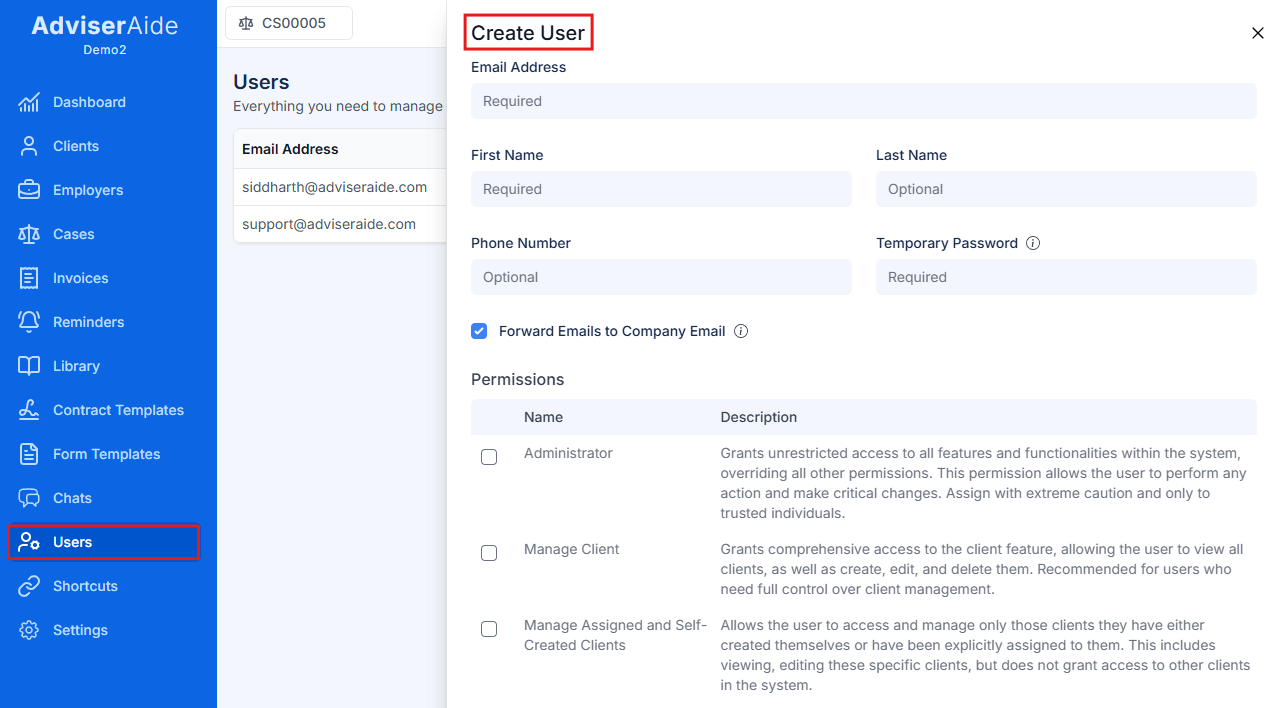
4
Fill in user details
Fill in the user’s details and assign a temporary password. The user will be able to change this password after logging in.
5
Select permissions and save
Adviseraide offers several permission tiers, select the appropriate permissions and click Save User at the bottom. Once the account is created, share the temporary password with the user.