

Company Information
Manage your organization’s basic details including company name, logo, contact information, and address. You can also configure locality settings such as country, currency, and timezone to ensure invoices and dates display correctly for your region.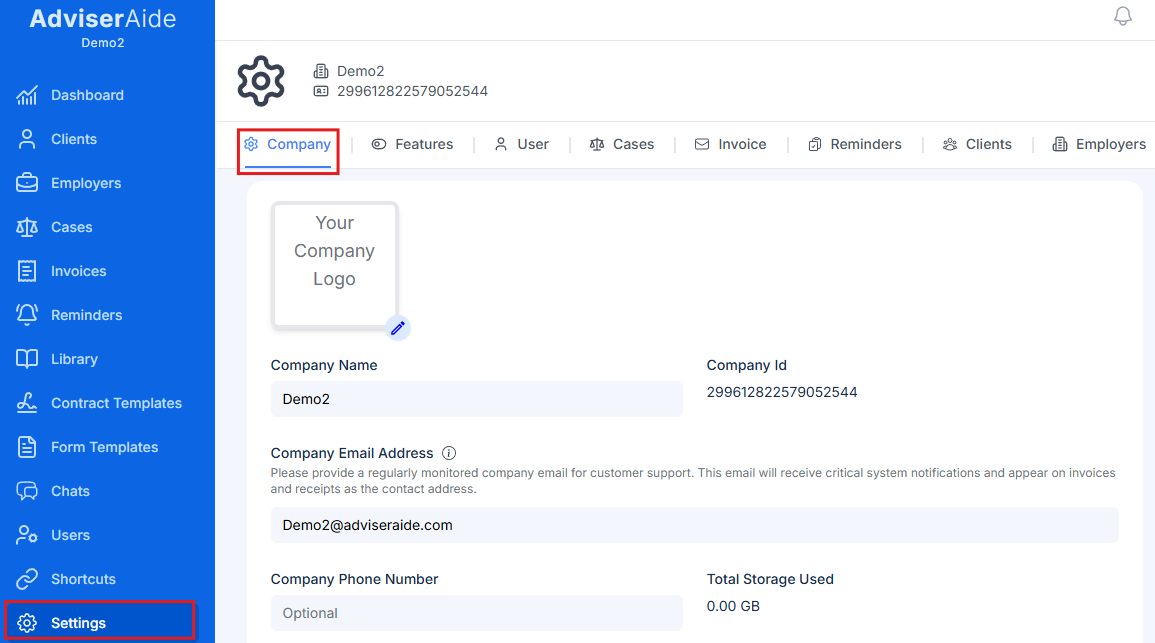
Features
The Features tab allows you to enable or disable specific features within AdviserAide. As we continue to build new capabilities, not all features may be useful for every organization. Disabling unused features helps declutter your interface and keeps your team focused on the tools they actually need.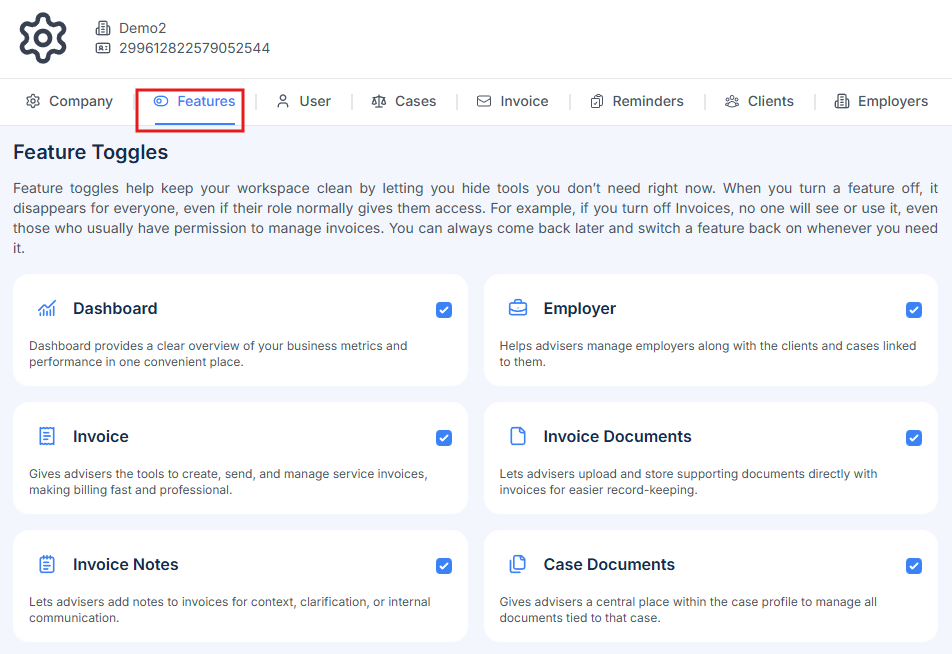
User
Configure user-specific settings including digital signatures and email signatures. Signatures can be added and managed in this section.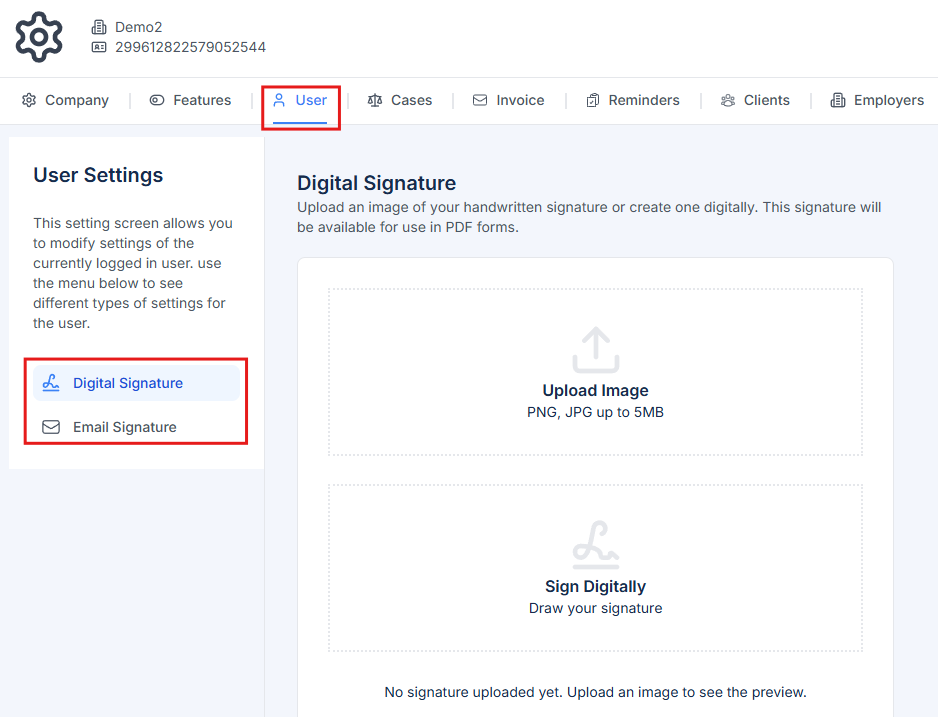
Cases
The Cases settings tab allows you to customize how cases work in your organization: Case Categories - Add, edit, or remove case categories to match your service offerings (e.g., Student Visa, Work Visa, Resident Visa, Partnership Visa). Case Status - Manage the status options available for cases (e.g., Open, In Progress, Awaiting Documents, Submitted, Approved, Closed). Custom Fields - Create case-specific custom fields to capture additional information unique to your workflow. Task Templates - Set up reusable task templates that can be quickly added to cases. For more details on using task templates, see Case Tasks.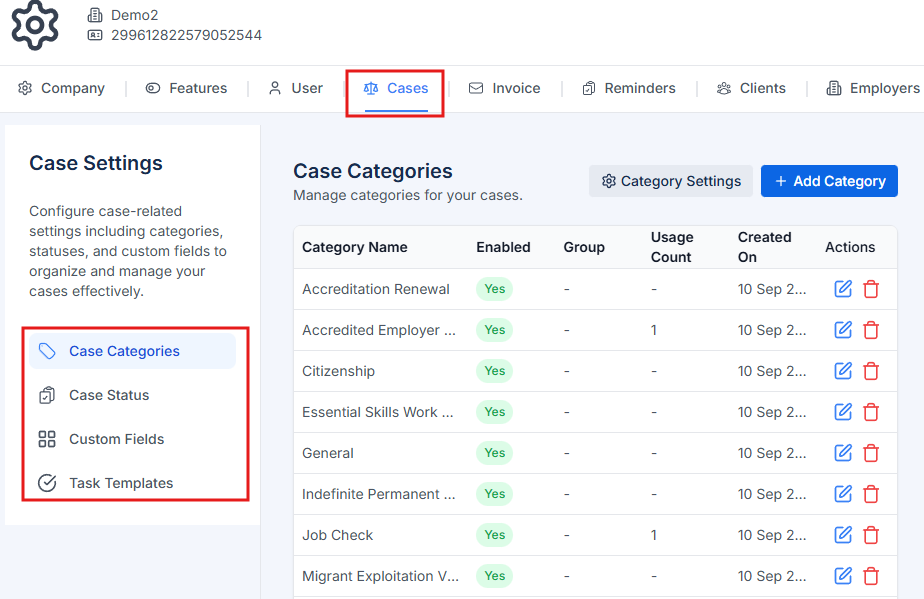
Invoices
Configure all invoice-related settings including: General - Choose the default due date used when creating new invoices. See Invoice Settings. Payment Instructions - Set up payment instructions that appear on invoices. Message Templates - Create email templates for sending invoices to clients. Invoice Reminders - Configure automated reminder schedules for unpaid invoices. Payment Methods - Manage available payment methods (Bank Transfer, Credit Card, Cash, etc.). Invoice Numbers - Set up your invoice numbering sequence and format. Invoice Receipts - Configure receipt numbering format. Tax Identification - Add your tax, GST, or VAT identification numbers. Tax Rates - Set up applicable tax rates for your region. General Ledger - Configure ledger account codes and categories. Invoice Items - Create predefined invoice line items for services you frequently bill.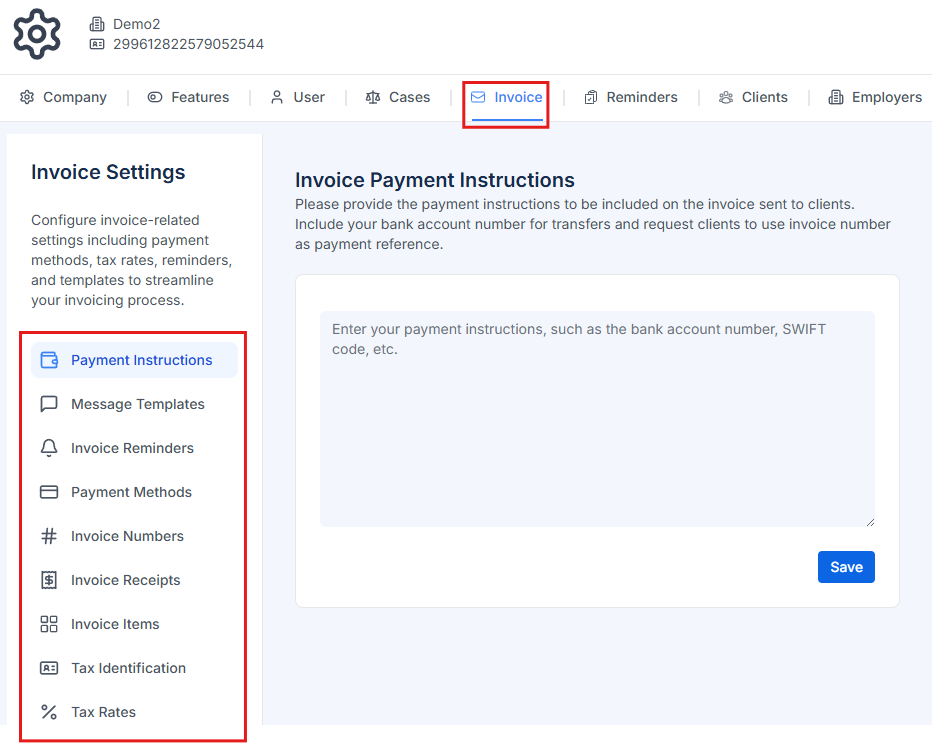
Reminders
Configure reminder settings for your organization: Birthday Reminders - Set up automatic birthday reminders for clients to maintain personal connections and improve client relationships. Client Reminders and Employer Reminders - Change the reminder types used to email clients and employers before important dates, such as a visa expiry. See Reminder emails and timing.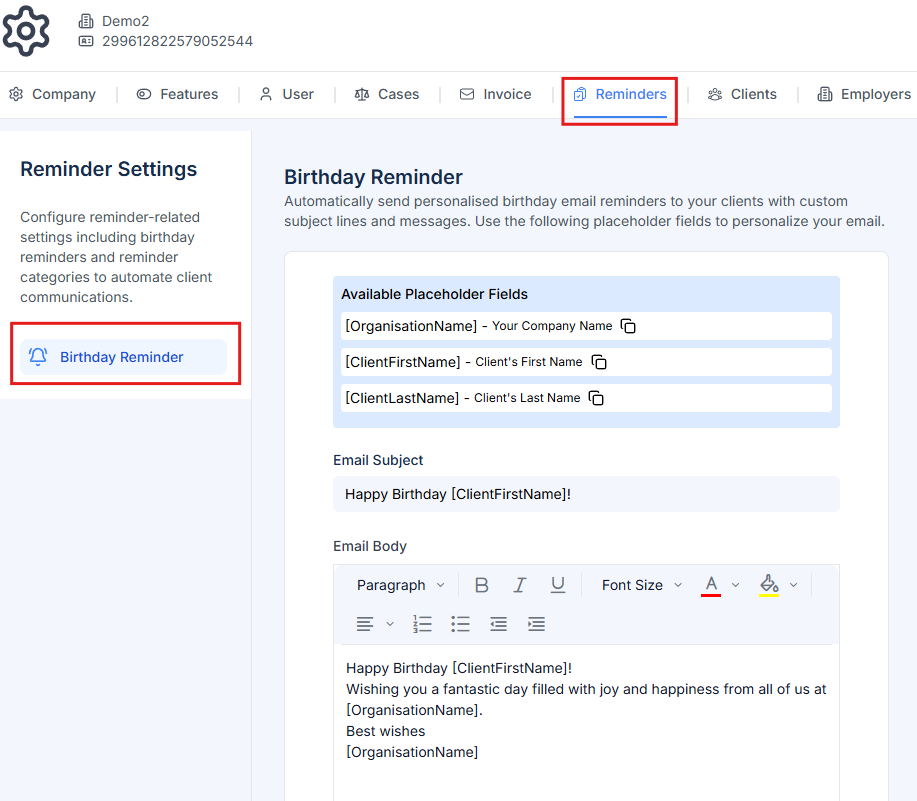
Clients
Customize client-related settings: Contact Relationship - Define the types of relationships clients can have with their contacts (e.g., Spouse, Parent, Guardian, Dependent, Child). Custom Fields - Create client-specific custom fields to capture additional information about your clients beyond the standard fields. Export Requests - Export selected client information to a CSV file. See Exporting Client Data.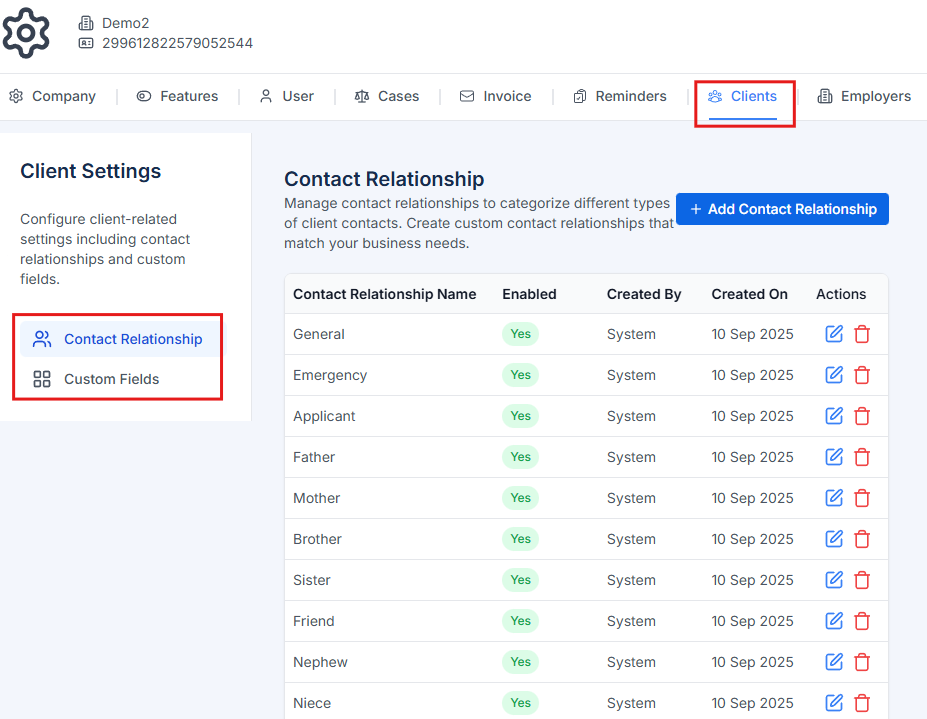
Employers
Configure employer-specific settings: Contact Relationship - Define relationship types between employers and their contacts (e.g., HR Manager, Hiring Manager, Director, Accountant). Custom Fields - Create employer-specific custom fields to track additional information relevant to your employer relationships.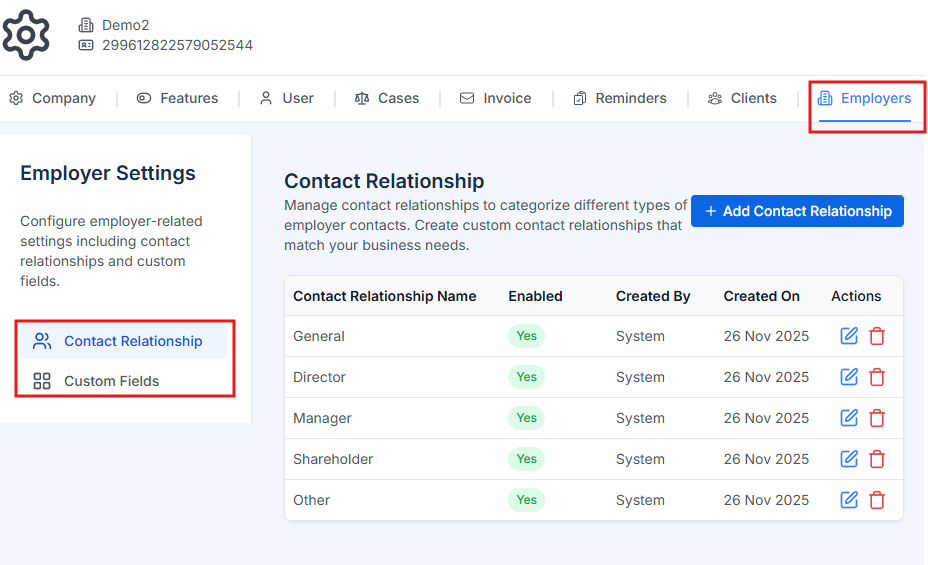
Some settings tabs (Features, Invoices, Reminders, Employers) may not be visible if the corresponding feature is disabled or if you don’t have the required permissions.