

- You want to offer a discount after an invoice has already been issued.
- A client has partially paid (e.g., paid 1,300 invoice) and you want to waive the remaining $300.
- You need to correct an error on the invoice without altering the original record.
Creating a credit note
1
Open the Invoice
Go to the Update Invoice page for the invoice you want to adjust.
2
Add a Credit Note
Click Waive or Credit Amount below the invoice totals (see highlighted section in the screenshot below). The button is greyed out when the invoice is still a draft or has nothing owing.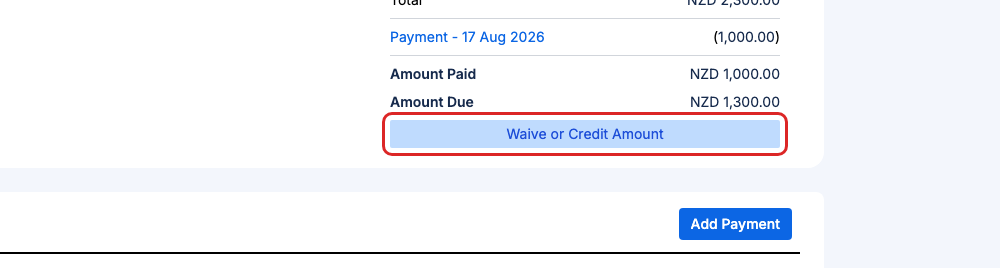
3
Enter the credit note details
Clicking Waive or Credit Amount will display a screen with the invoice amount automatically populated in the credit note line items.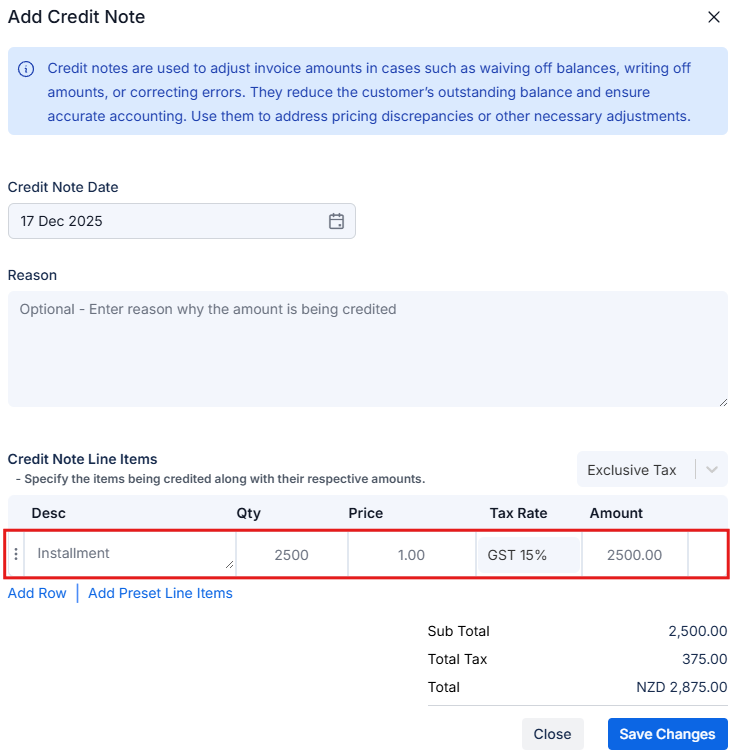
4
Review the updated invoice
After saving, the invoice summary will update to include a credit note line as displayed in the following screenshot.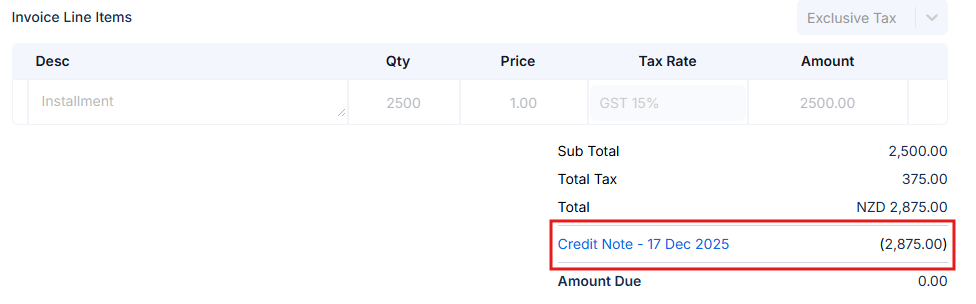
5
Email the Updated Invoice
Once the credit note has been applied, you can send the updated invoice to your client which will include the credit note amount.