

Why Use Custom Fields?
Every immigration practice is unique, and while AdviserAide provides comprehensive standard fields for clients, cases, and employers, you may need to capture additional information specific to your practice. Custom fields solve this problem by allowing you to create your own fields without requiring any technical knowledge or system modifications.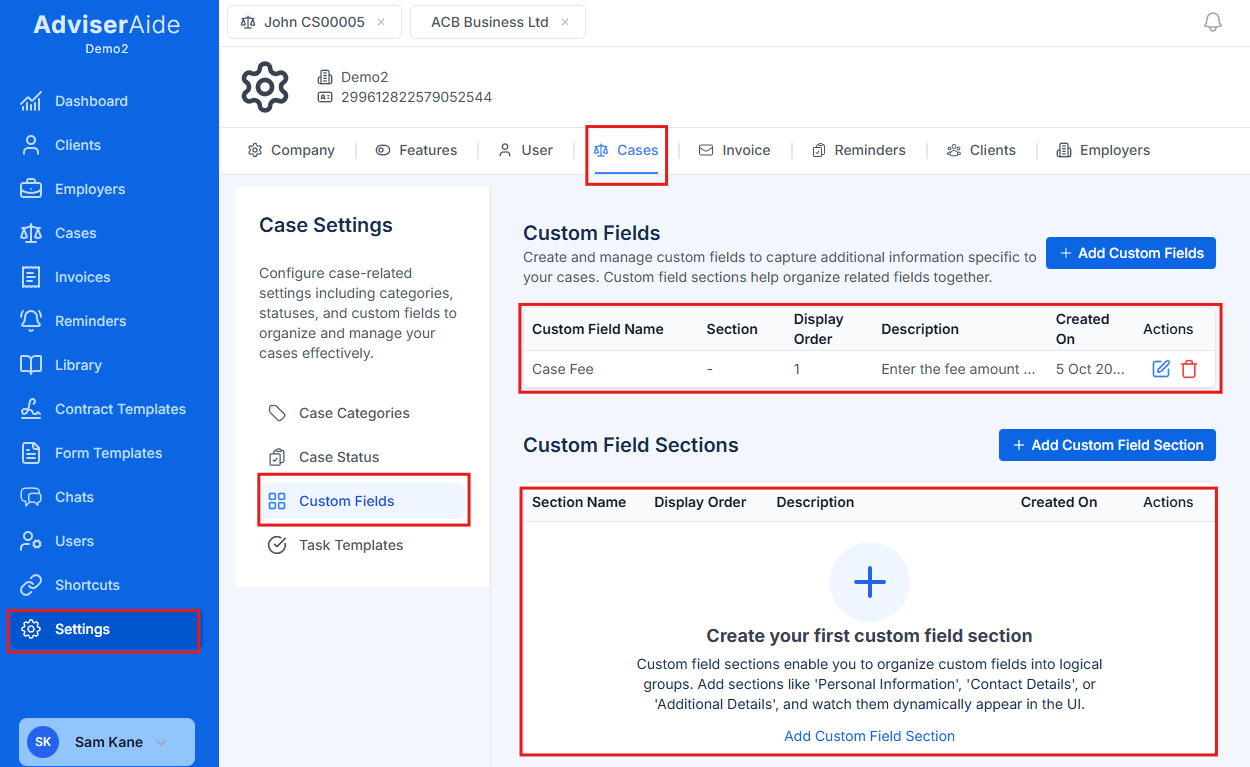
Case Custom fields
Unlimited Flexibility
Add as many custom fields as you need to any entity type (clients, cases, employers)
Multiple Field Types
Choose from 8 different field types including text, numbers, dates, dropdowns, and checkboxes
Organised Sections
Create separate sections for clients, cases, and employers to group related fields
Dynamic Templates
Use custom fields as placeholders in contracts, emails, forms, and notes
Key Features
1. Flexible Field Types
Custom fields support 8 different data types to capture any kind of information:- Text - Short single-line text entries (names, IDs, codes)
- Paragraph - Multi-line text for longer descriptions or notes
- Number - Integer values for counts, ages, or quantities
- Decimal - Decimal values for amounts, rates, or measurements
- Date - Date picker for important dates
- Date & Time - Date and time picker for precise timestamps
- Checkbox - Multiple checkboxes for yes/no or multi-select options
- Dropdown - Single or multi-select dropdown lists
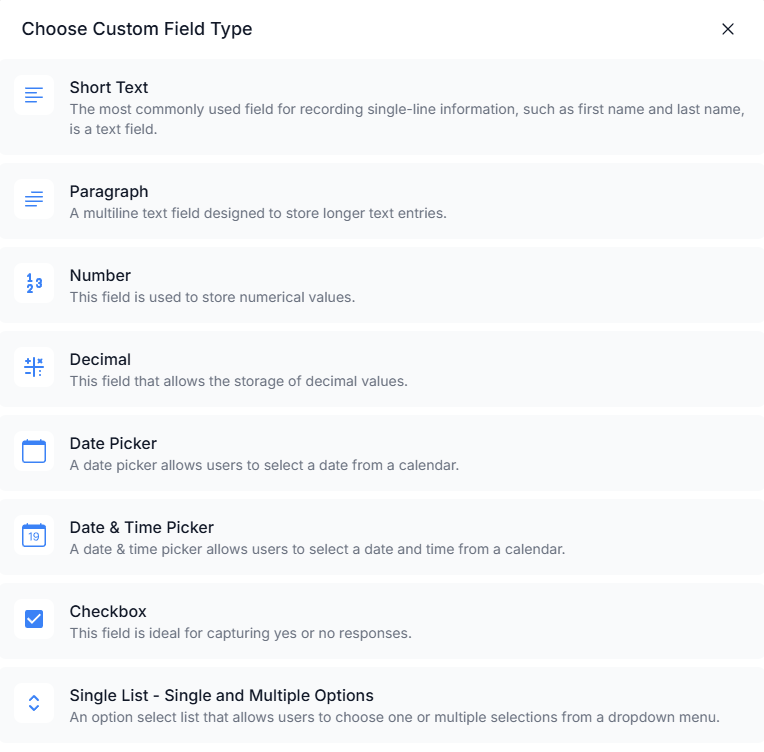
Custom Field Types
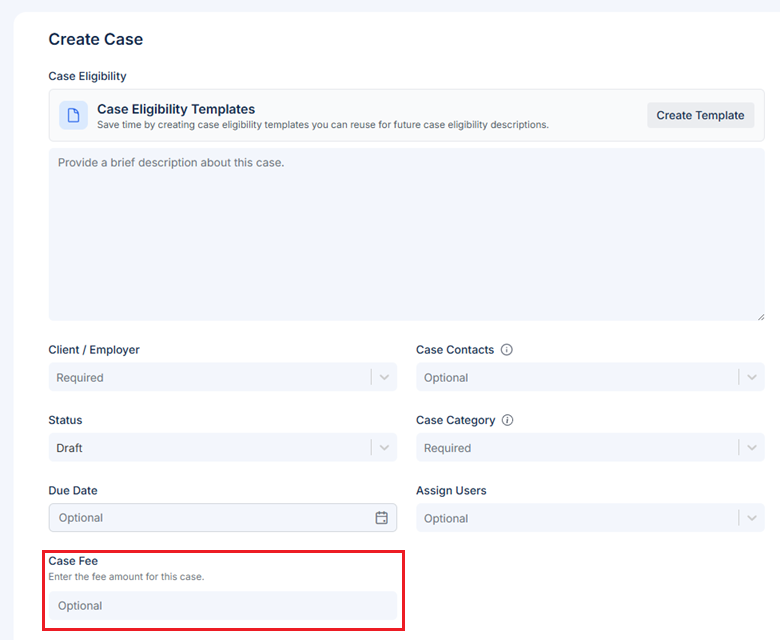
Case Fee Custom Field
2. Custom Sections
In addition to adding individual fields, you can create entirely new sections to organise your custom fields logically. Sections appear as separate cards in the interface, making it easy to group related information together.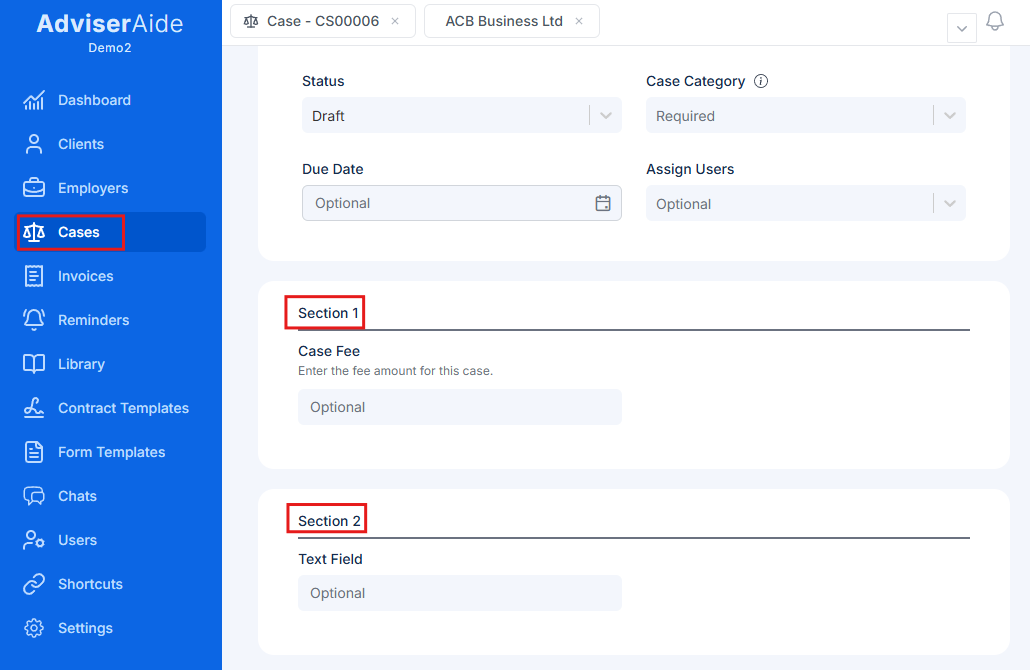
Case profile showing multiple custom field sections organised into separate cards
3. Integration with Templates
One of the most powerful features of custom fields is their seamless integration with AdviserAide’s template system. Every custom field you create automatically becomes available as a merge field placeholder in:- Contract Templates - Auto-populate contracts with client-specific data
- Email Templates - Personalize emails with custom information
- PDF Forms - Pre-fill forms with saved custom field values
- Case Notes - Insert custom field values into notes using templates
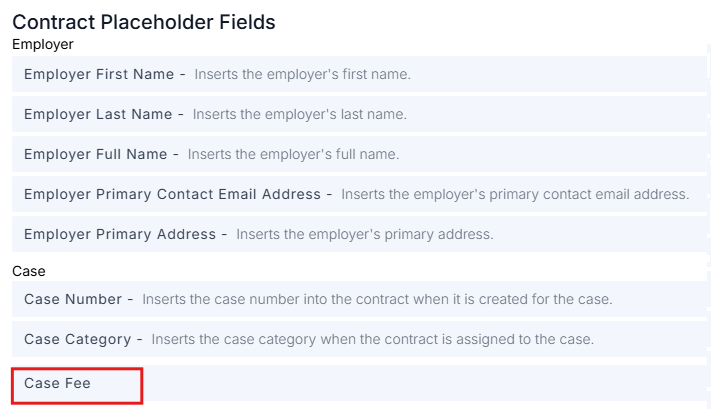
Custom fields appearing as merge field placeholders in a contract template
4. Custom Fields for Clients and Employers
In addition to cases, you can create custom fields for client profiles and employer profiles. These fields work the same way-capture any additional information your practice needs to track about clients or employers that isn’t covered by the standard fields. To create custom fields:- For Clients: Go to Settings → Clients → Custom Fields
- For Employers: Go to Settings → Employers → Custom Fields
5. Category-Based Visibility for Case Custom Fields
One of the most powerful features for case custom fields is category-based visibility. You can assign custom fields to specific case categories (like Student Visa, Work Visa, or Partner Visa). When you create a case, only the custom fields that match the case’s category will appear. This keeps your forms clean and relevant-showing only the fields that apply to that specific visa type.6. Disable vs. Delete
When you no longer need a custom field, you can disable it rather than deleting it:- Disabled fields - Preserve existing data but prevent new entries or edits
- Deleted fields - Remove the field entirely and all associated data
What’s Next?
Creating Custom Fields
Learn how to create custom fields and sections for clients, cases, and employers