Export client records from AdviserAide when you need to work with the information in a spreadsheet or another system.
Export client records from AdviserAide when you need to work with the information in a spreadsheet or another system. AdviserAide prepares the selected client information as a CSV file.
Only administrators can request and download client data exports.
Open Settings, select Clients, and then select Export Requests.
2
Start an export
Select Export request.
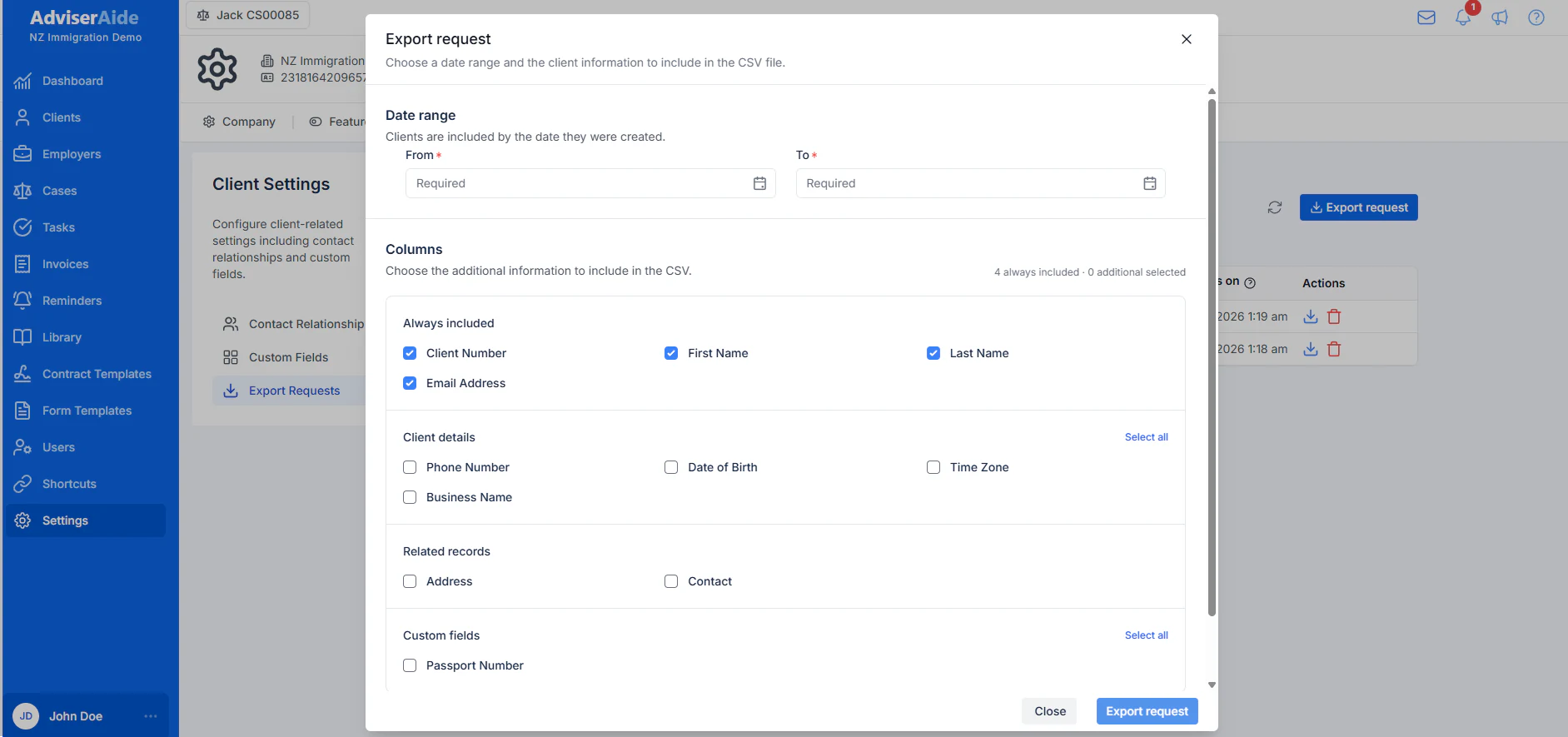
Choose the date range and client information to include in the CSV file
3
Choose the date range
Enter the From and To dates. AdviserAide includes clients based on the date each client was created, not the date their information was last updated.
4
Choose the client information
Select the additional client details, related records, and custom fields you want to include. The four required client details are included automatically.
5
Request the export
Select Export request. AdviserAide prepares the CSV in the background and lets you know when it is ready.
6
Download the CSV file
Download the completed file from the system notification or select the download icon beside the completed request in Export Requests.