

- Open contract template from the right side menu
- Simply type the numbered placeholder - for example:
{{Contact_1_FirstName}} {{Contact_2_FirstName}}
Available placeholders
{{Contact_1_FirstName}}{{Contact_1_LastName}}{{Contact_1_FullName}}{{Contact_1_DateOfBirth}}{{Contact_1_Address}}{{Contact_1_EmailAddress}}{{Contact_1_PhoneNumber}}{{Contact_1_Relationship}}
How Contact Order Works
The number in each placeholder corresponds to the order in which the contacts were added to the case: For example, if your case has the following contacts: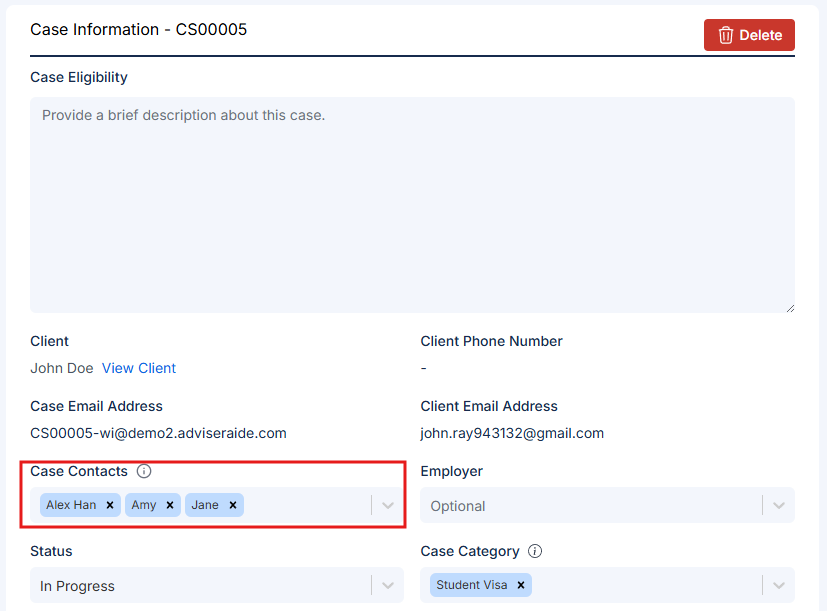
- The first contact - Alex Han added will populate placeholders starting with
{{Contact_1_FirstName}} - The second contact - Amy added will populate placeholders starting with
{{Contact_2_FirstName}} - The third contact - Jane added will populate placeholders starting with
{{Contact_3_FirstName}}