

Pausing syncing
Turn Sync with Xero off in Settings → Integrations to pause everything while staying connected. The page makes the paused state unmistakable: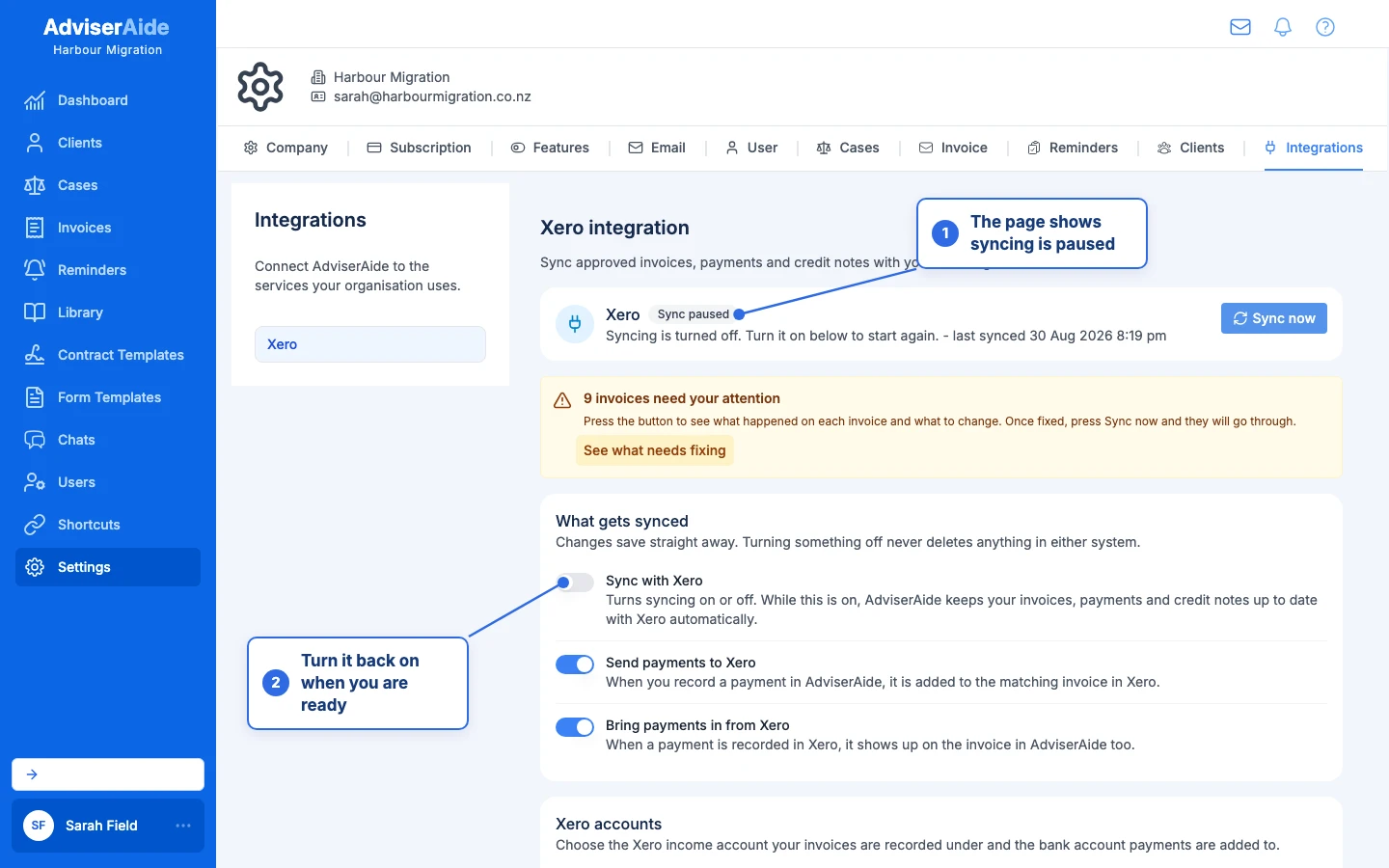
While paused, the settings page says so clearly
- Nothing moves in either direction - no sends, no payments in or out.
- Invoices you approve, and payments or credit notes you add, are remembered. Each invoice shows a banner explaining that syncing is turned off.
- Turn the toggle back on and everything queued syncs automatically. Nothing is forgotten.
Disconnecting
Select Disconnect on the settings page. AdviserAide confirms exactly what will happen before doing anything: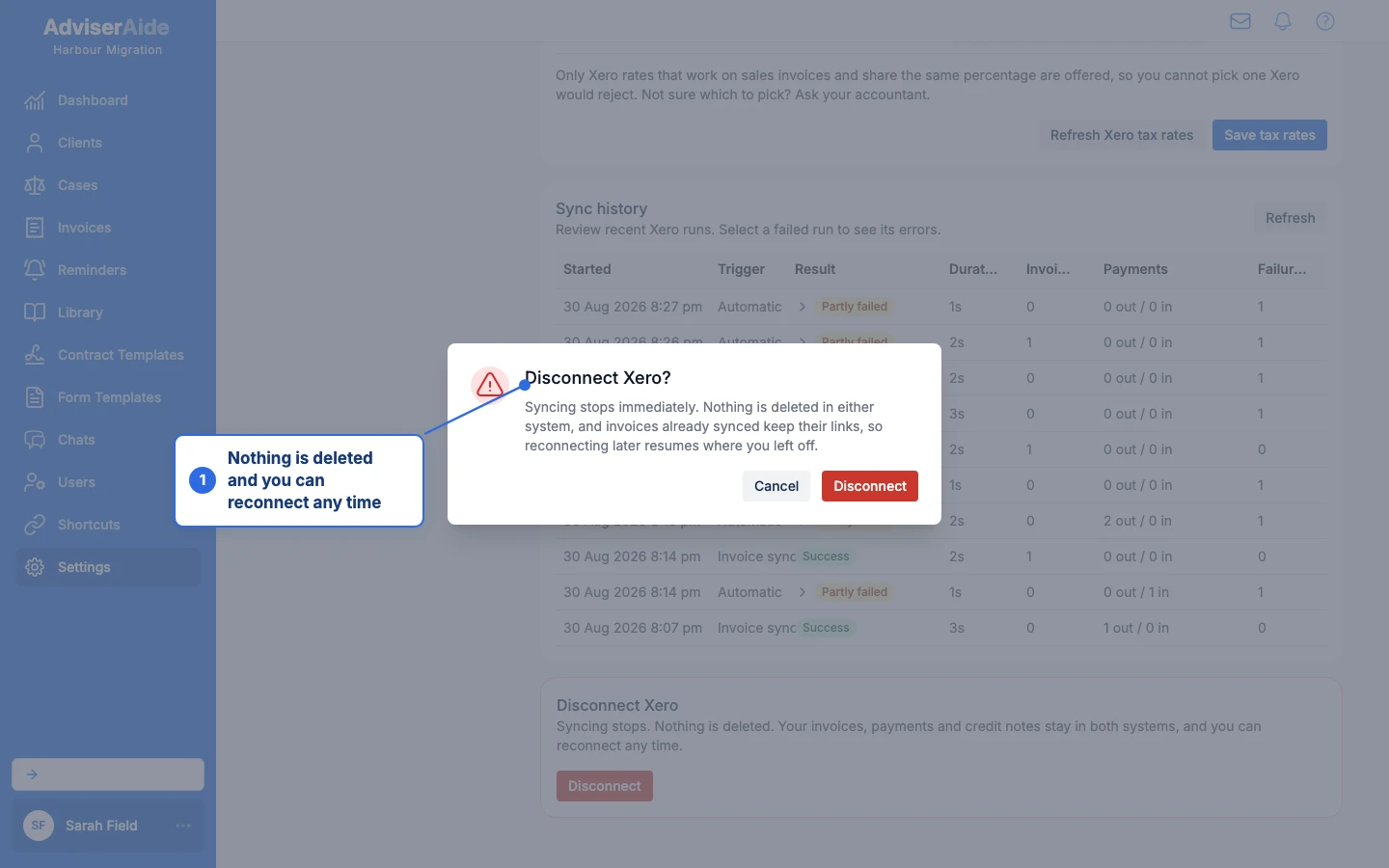
Disconnecting stops syncing without deleting anything
- Syncing stops immediately and the page returns to Not connected.
- Everything already synced keeps its links, in both systems.
- Invoices show an amber banner - “Xero has been disconnected, so this invoice cannot sync right now…” - and their Sync History stays readable.
- Work you do while disconnected is remembered, just like pausing.
Reconnecting
Select Connect to Xero and sign in again, choosing the same Xero organisation. Reconnecting truly resumes where you left off:- Syncing turns back on by itself.
- Everything recorded while disconnected - new invoices, payments, credit notes, deletions - syncs across straight away, with no buttons to press.
If access is removed inside Xero
If someone disconnects AdviserAide from inside Xero (Xero’s Connected apps page), AdviserAide notices on its next sync and shows this on the settings page: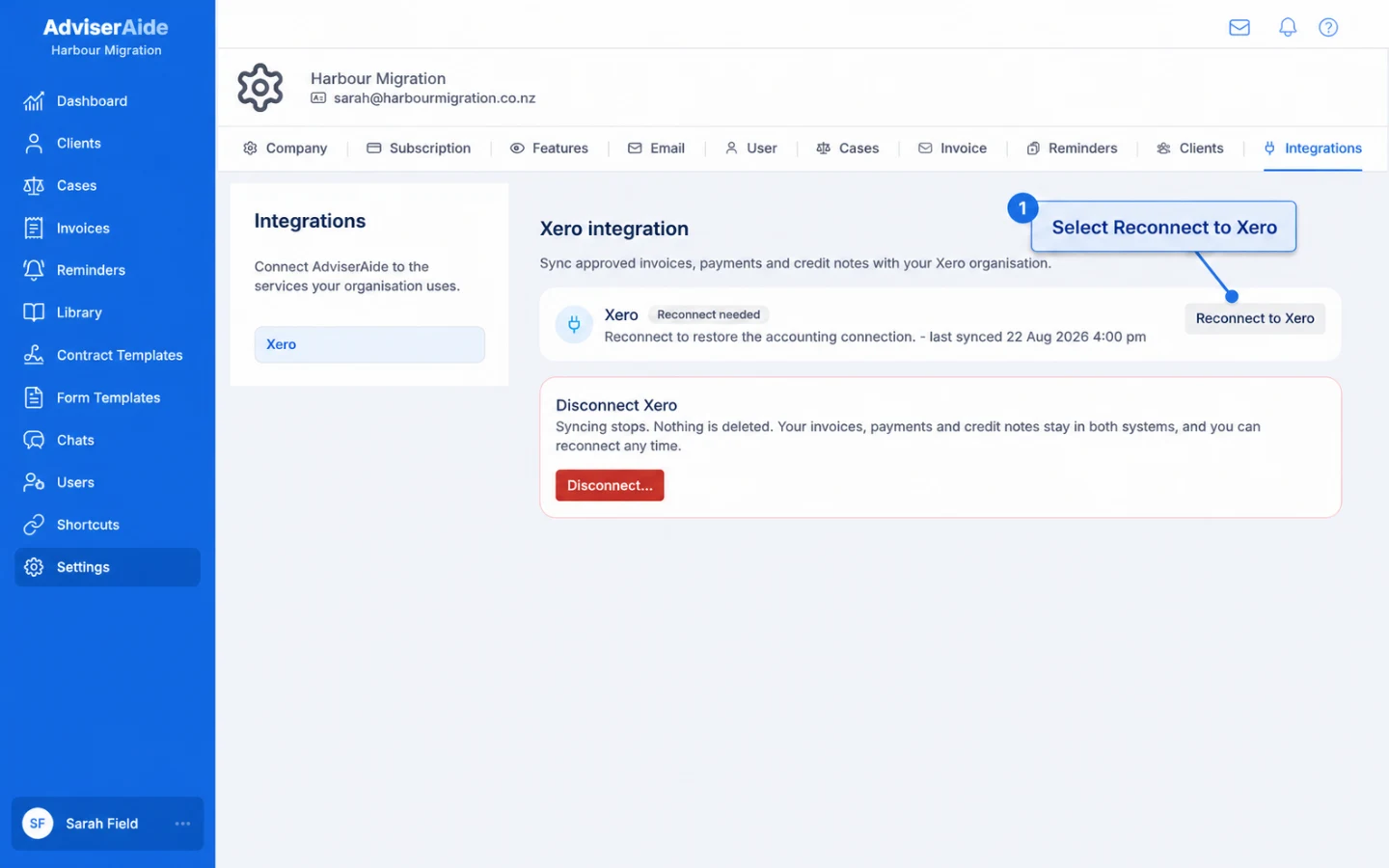
AdviserAide detects a Xero-side disconnection and asks you to reconnect