No client or employer has the relevant email address.
The email address matches more than one client or employer.
The matching client or employer has no open cases.
The matching client or employer has multiple open cases.
When one client or employer matches and has one open case, AdviserAide links the email automatically. Replies to conversations that are already linked also remain with the existing case.
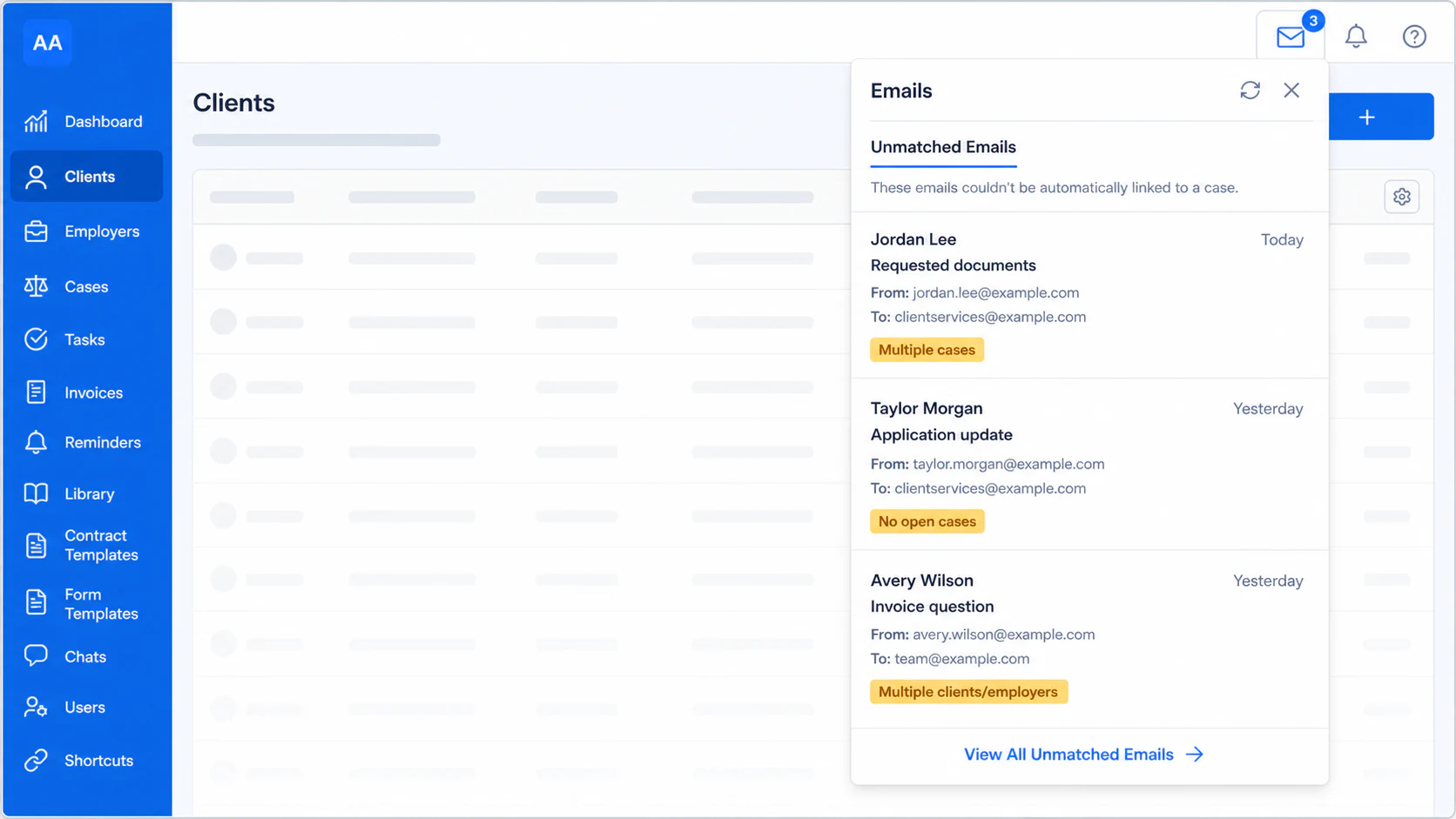
Select the email icon in the top-right corner of AdviserAide. The number on the icon shows how many unmatched emails need attention.The panel shows recent unmatched emails and why they could not be linked. Select an email to open it, or select View All Unmatched Emails.
Open the top-right email menu to review unmatched emails
2
Choose the client and case
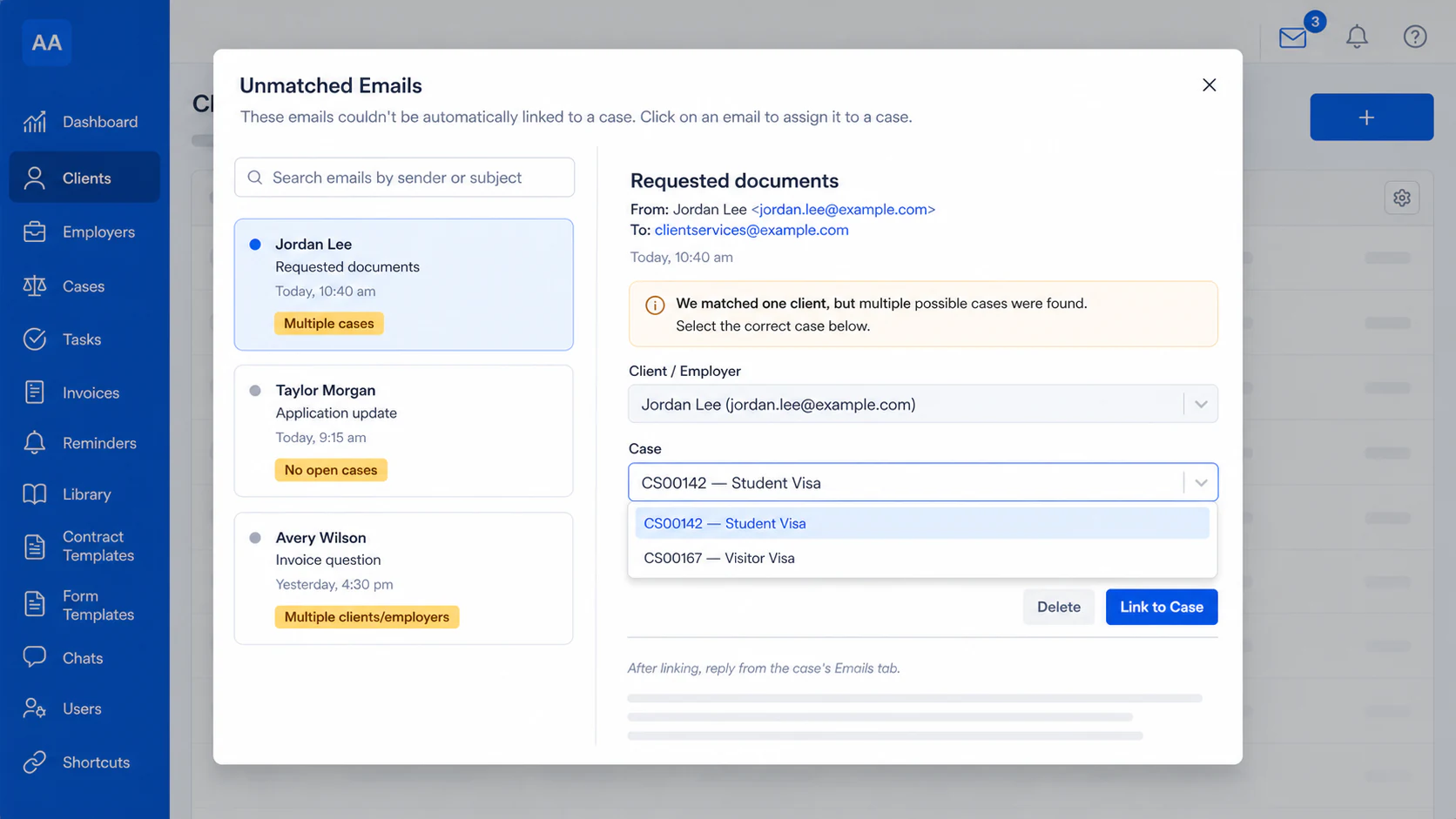
Select an email from the list and review its sender, subject, message and attachments.AdviserAide shows the possible Client / Employer and Case matches. Choose the correct values, or search for a different client or employer when the suggested match is not correct.
Select the correct client or employer and case
3
Link the email
Select Link to Case. AdviserAide moves the email and its attachments to the selected case. You can then review or reply to it from the case’s Emails tab.
Delete an unmatched email only when it is irrelevant, such as spam or an email for another organisation. Deleting it from this list cannot be undone.