AdviserAide provides ready-made official immigration PDF forms through the Form Template Library.
AdviserAide provides ready-made official immigration PDF forms through the Form Template Library. Add the forms your organisation needs to My Forms, then customise, assign and reuse them without setting up every PDF from scratch.Open Form Templates in AdviserAide
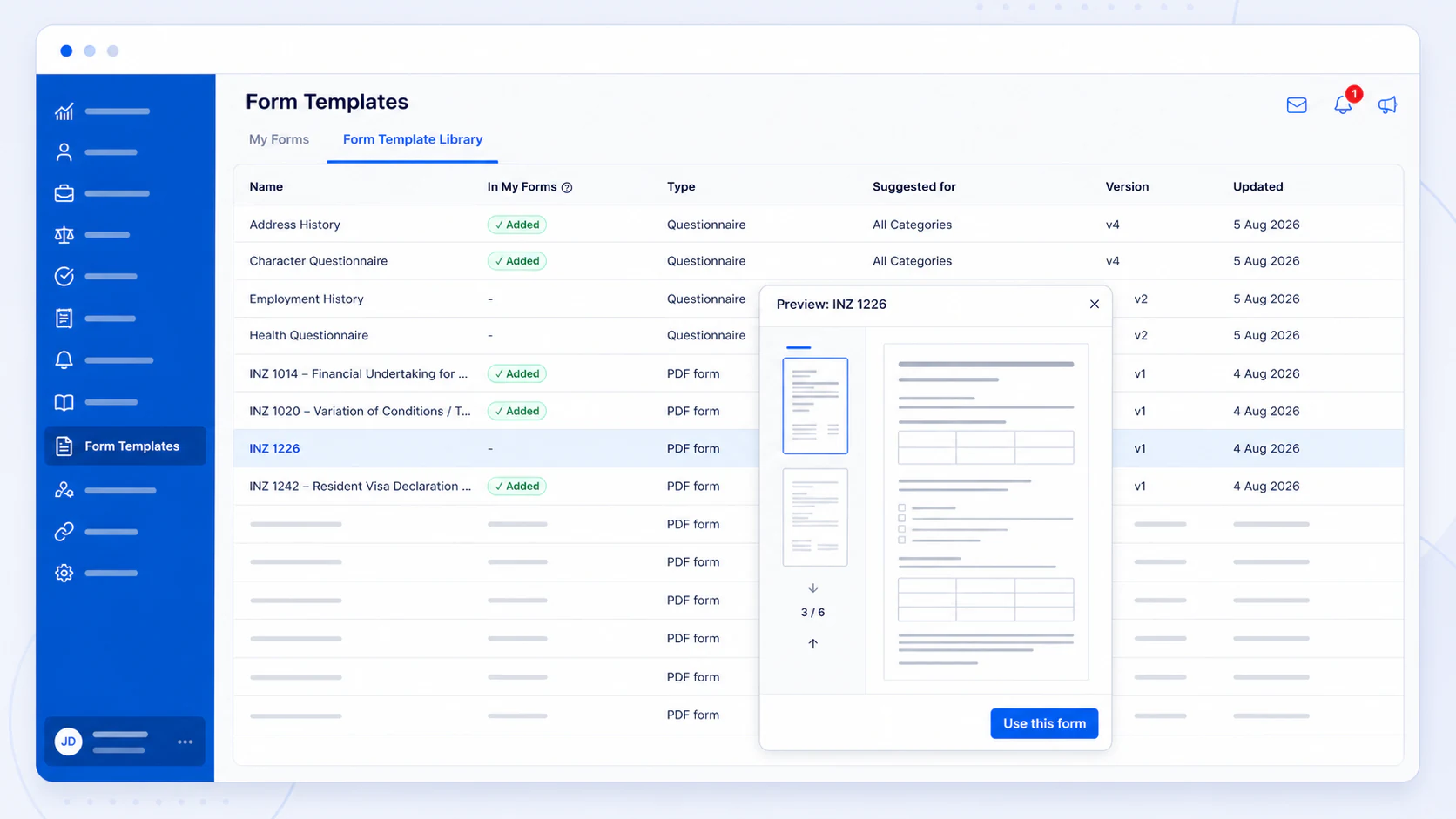
Open Form Templates from the main menu, then select Form Template Library.Use the Type, Suggested for and form name information to find the PDF form you need. The Added label shows forms that are already in My Forms.
Browse ready-made PDF forms and questionnaires in the Form Template Library
2
Preview the form
Select a form to open the full preview. Review each page before adding it to your organisation.
3
Use the form
Select Use this form, choose the case categories where the form should be available, then select Add to my forms.AdviserAide creates a copy in My Forms. You can customise the copy, assign it to cases and share it with clients.PDF form templates are currently available for New Zealand, Australia and the United States. If you would like another official form added to the library, let us know through AdviserAide Support.
4
Add your organisation and adviser details
Open the copied form from My Forms, then update the organisation name, adviser name and any other organisation details required by the form.This is the only manual setup needed before the form is ready to assign and use with clients.
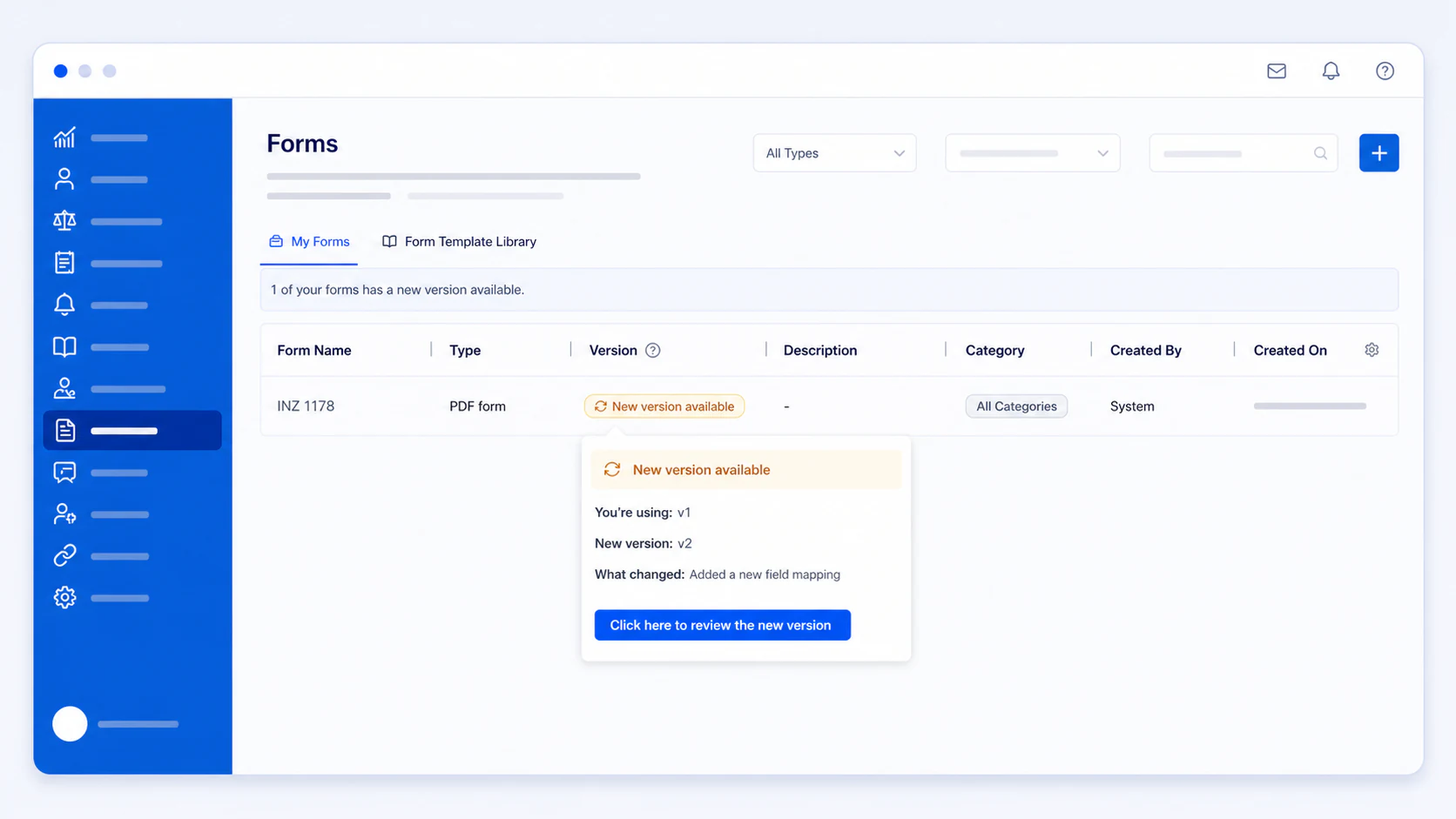
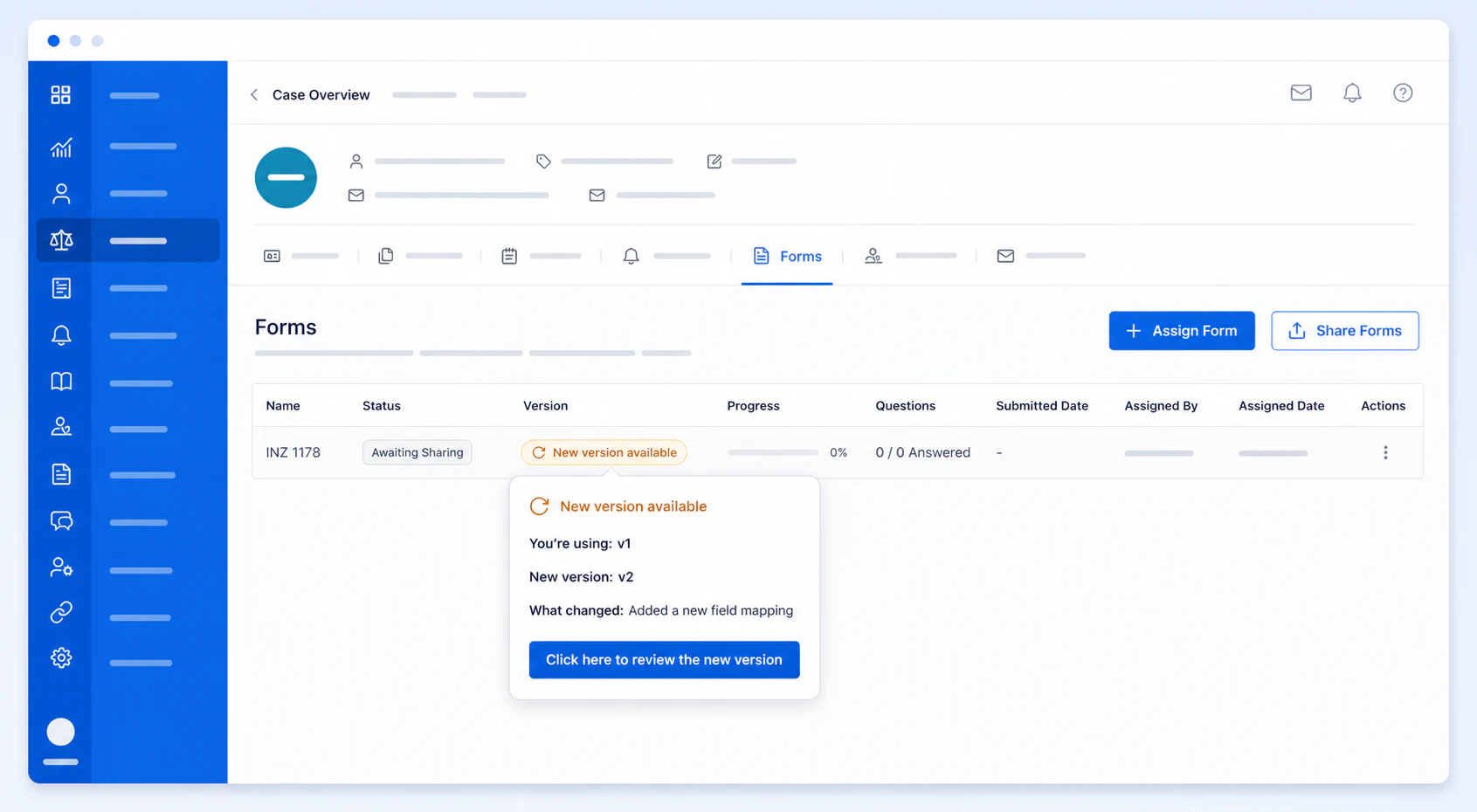
When an immigration authority releases a new version of an official PDF form, AdviserAide makes the updated version available. Your existing copy is not changed automatically.A New version available label appears beside the form in My Forms and on cases where that form is already assigned. Select the label to see the version you use, the new version and a summary of what changed.
Review an official PDF form update from My Forms
The same update notice appears when the PDF form is assigned to a case
Select Click here to review the new version, then choose what should happen to your organisation’s copy:
Preview the new version opens the updated PDF without changing anything.
Get a new copy adds the latest version as a separate form and keeps your current customised copy unchanged. Use this option when you want to preserve your changes.
Update my copy replaces your organisation’s form with the latest version. Custom changes made to that copy are removed. Forms already assigned to cases are not changed.
Ignore this update keeps your current copy and hides the notice for this version. AdviserAide will notify you when another version becomes available.
If you have customised the PDF form, use Get a new copy unless you are ready to replace those changes.
Update notices apply to official PDF forms added from the Form Template Library. Forms created by your organisation are not connected to library updates.