

You need to be an Administrator to change company settings. If someone in your team has already done this, go back to Getting Started and carry on with Part 2.
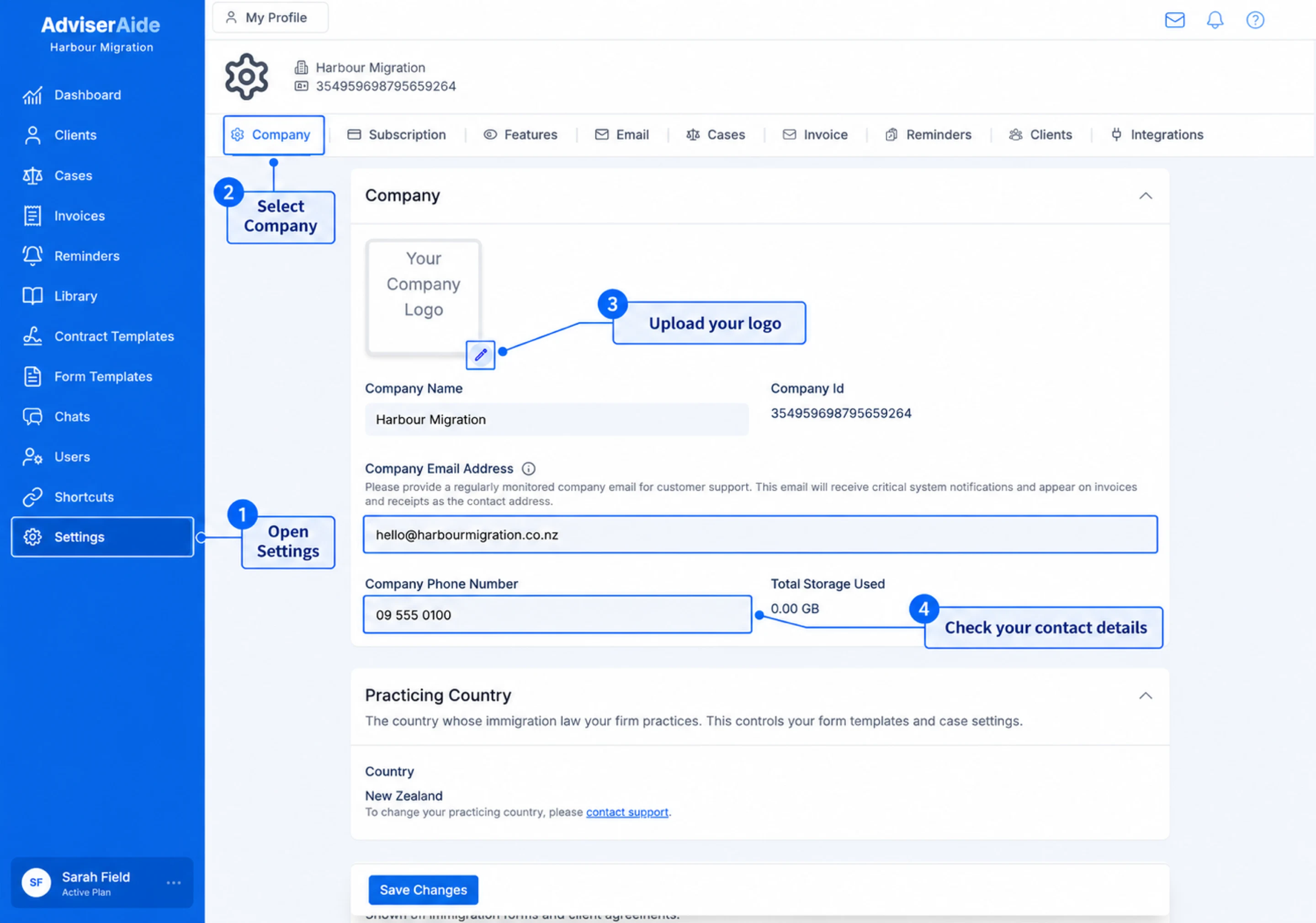
Company details and practicing country under Settings, then Company
Company
- Company logo - Select the pencil on the logo box to upload your organisation’s logo. It appears on invoices and other documents you send.
- Company Name - Your trading name.
- Company Email Address - Use an email address your team checks regularly. AdviserAide sends important system notifications to this address and shows it as the contact address on invoices and receipts.
- Company Phone Number - Your organisation’s main contact number.
Practicing Country
Your Practicing Country is the country whose immigration law your organisation works with. AdviserAide uses it to provide the relevant form templates and case settings. The practicing country cannot be changed from this page. Contact AdviserAide Support if it needs to be updated.Registration Details
Your registration details are shown on immigration forms and client agreements.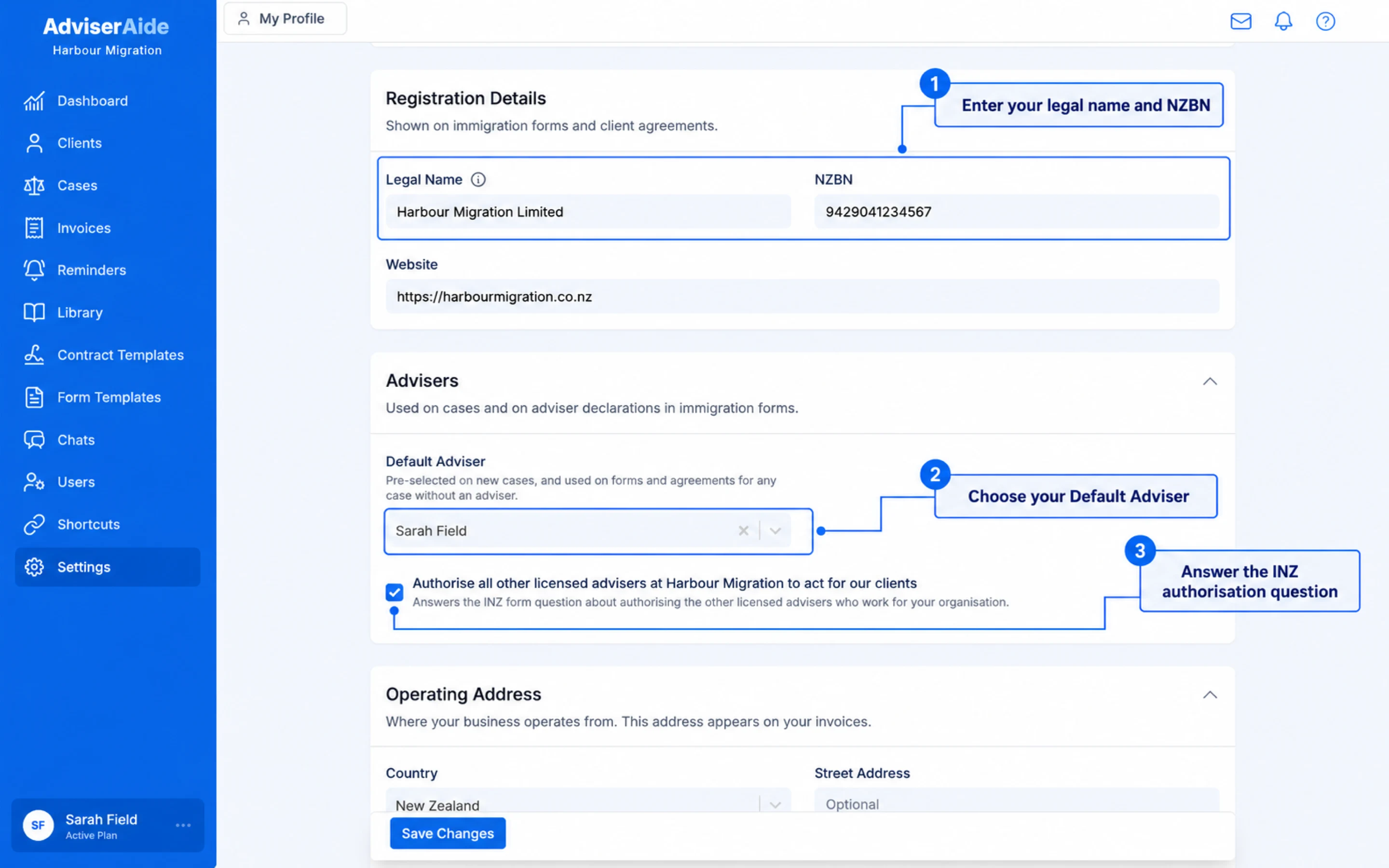
Registration details and advisers in company settings
- Legal Name - The name your company is registered under. Company Name above is your trading name.
- NZBN or ABN - Your company’s registration number. The label follows your operating country: ABN (Australian Business Number) in Australia and NZBN in New Zealand.
- Website - Your company website.
Advisers
The Advisers section (Migration Agents in Australia) sets who is used as the adviser or migration agent on cases and on the declarations in immigration forms.- Default Adviser (Default Migration Agent in Australia) - Pre-selected on new cases, and used on forms and agreements for any case that doesn’t have one. Only users with Is an Adviser (Is a Migration Agent in Australia) ticked on their profile are listed, so set up your registration details first.
- Authorise all other licensed advisers at your organisation to act for our clients - Shown only for organisations practising in New Zealand. It answers the question on INZ forms about authorising the other licensed advisers who work for your organisation.
Operating Address
Your Operating Address is where your business operates from. This address appears on your invoices and can be in a different country from your practicing country.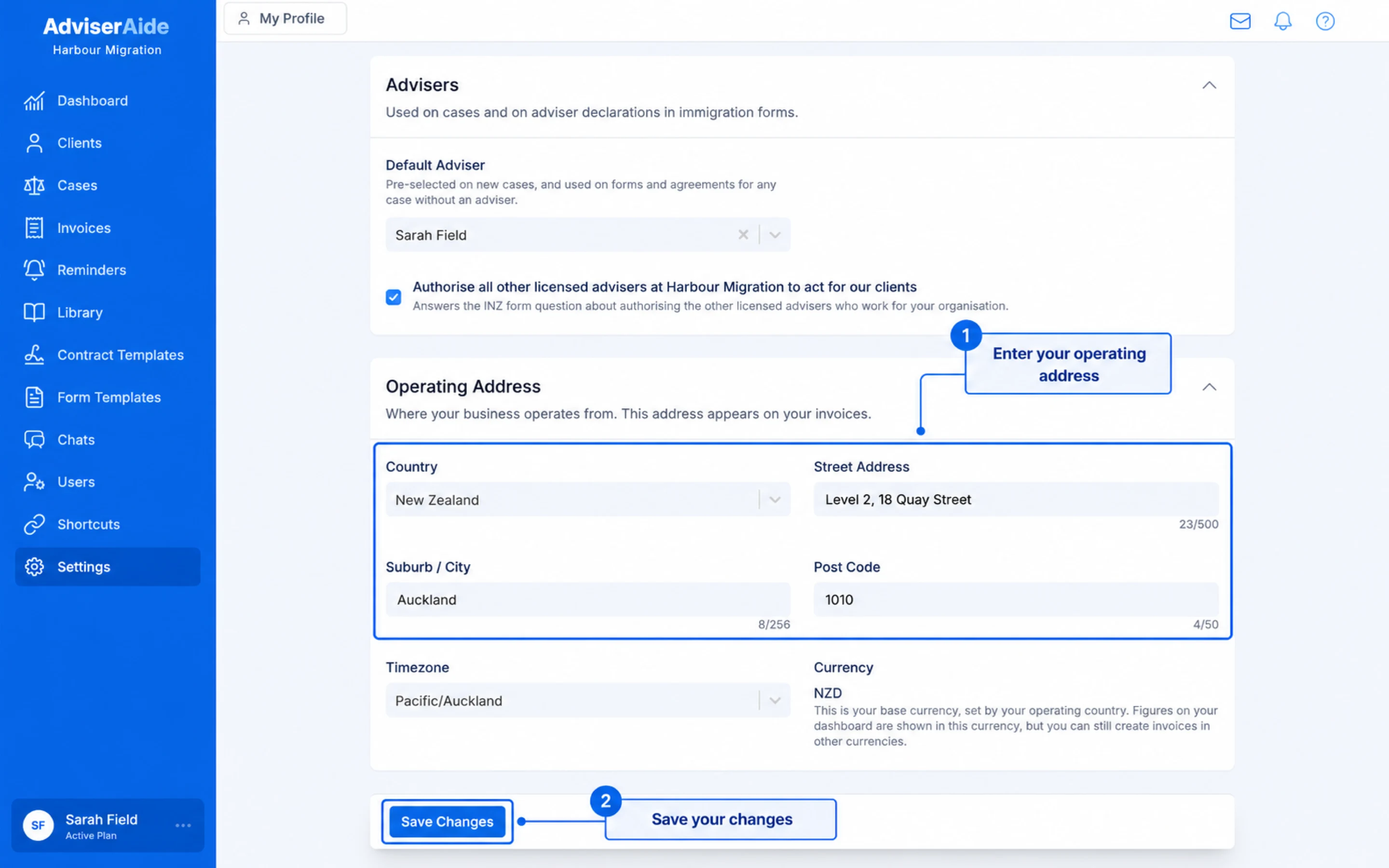
Operating address in company settings, then Save Changes
- Country - Select where your business operates. This controls the address fields, timezone options and base currency available to your organisation.
- Street Address, Suburb / City and Post Code - Enter the address you want to appear on invoices. If you enter any address details, you must also enter a street address.
- Timezone - Select the local timezone your organisation uses.
- Currency - AdviserAide sets your base currency from the operating country. Dashboard figures use this currency, but you can still create invoices in other currencies.
Next step
Step 5: Add your invoice details
Add your payment instructions and GST number so they appear on your invoices.
Need a hand? Email support@adviseraide.com and we will help you.