Add your contact details and your adviser or migration agent registration in My Profile.
This is step 2 of Getting Started. Your profile holds your contact details and your registration details, such as your IAA licence number in New Zealand or your MARN in Australia. AdviserAide uses them to fill in your details on client agreements and immigration forms, so you don’t have to type them each time.
1
Open My Profile
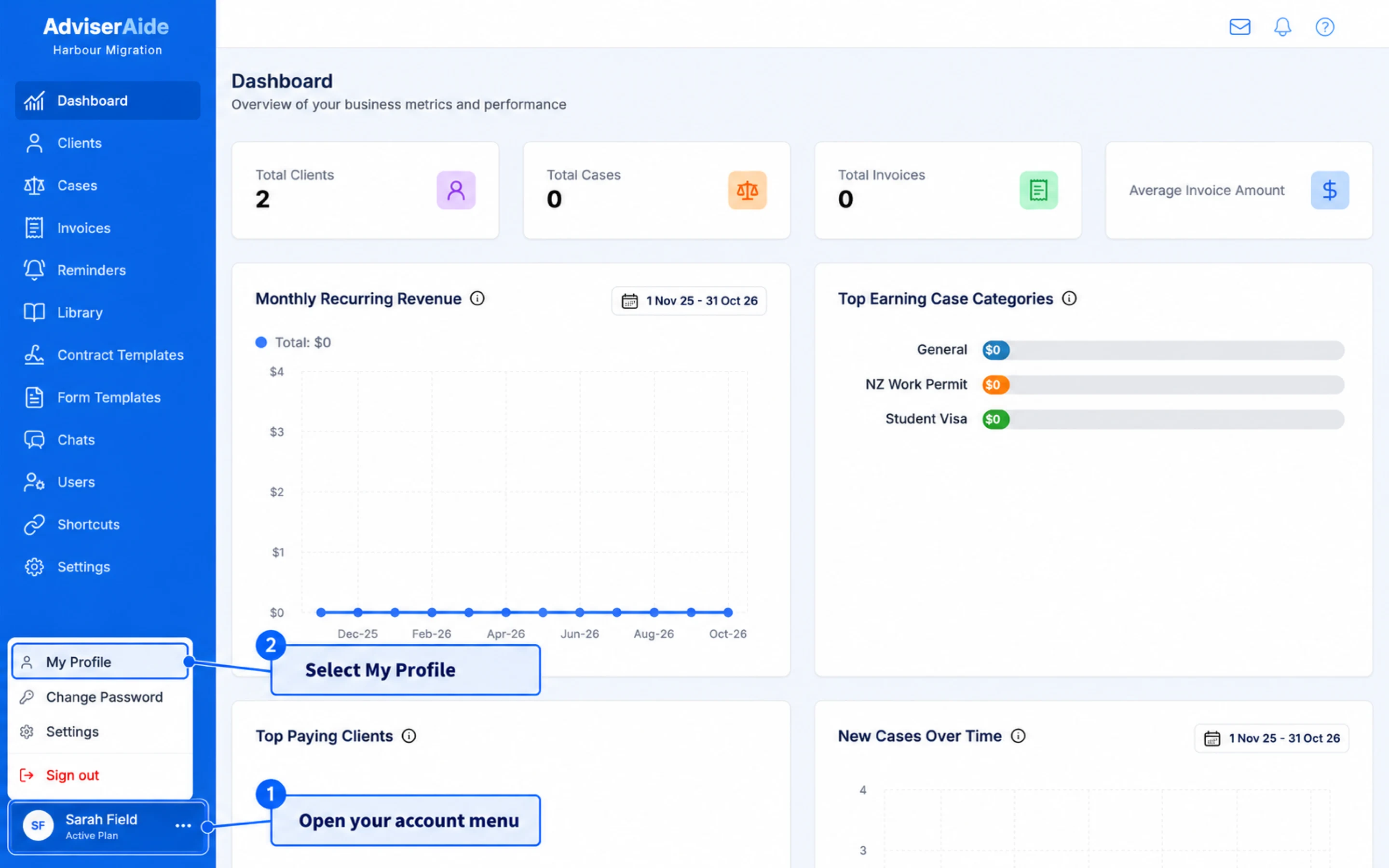
Select your name at the bottom of the left-hand menu, then select My Profile.
Open My Profile from the menu under your name
2
Check your personal details
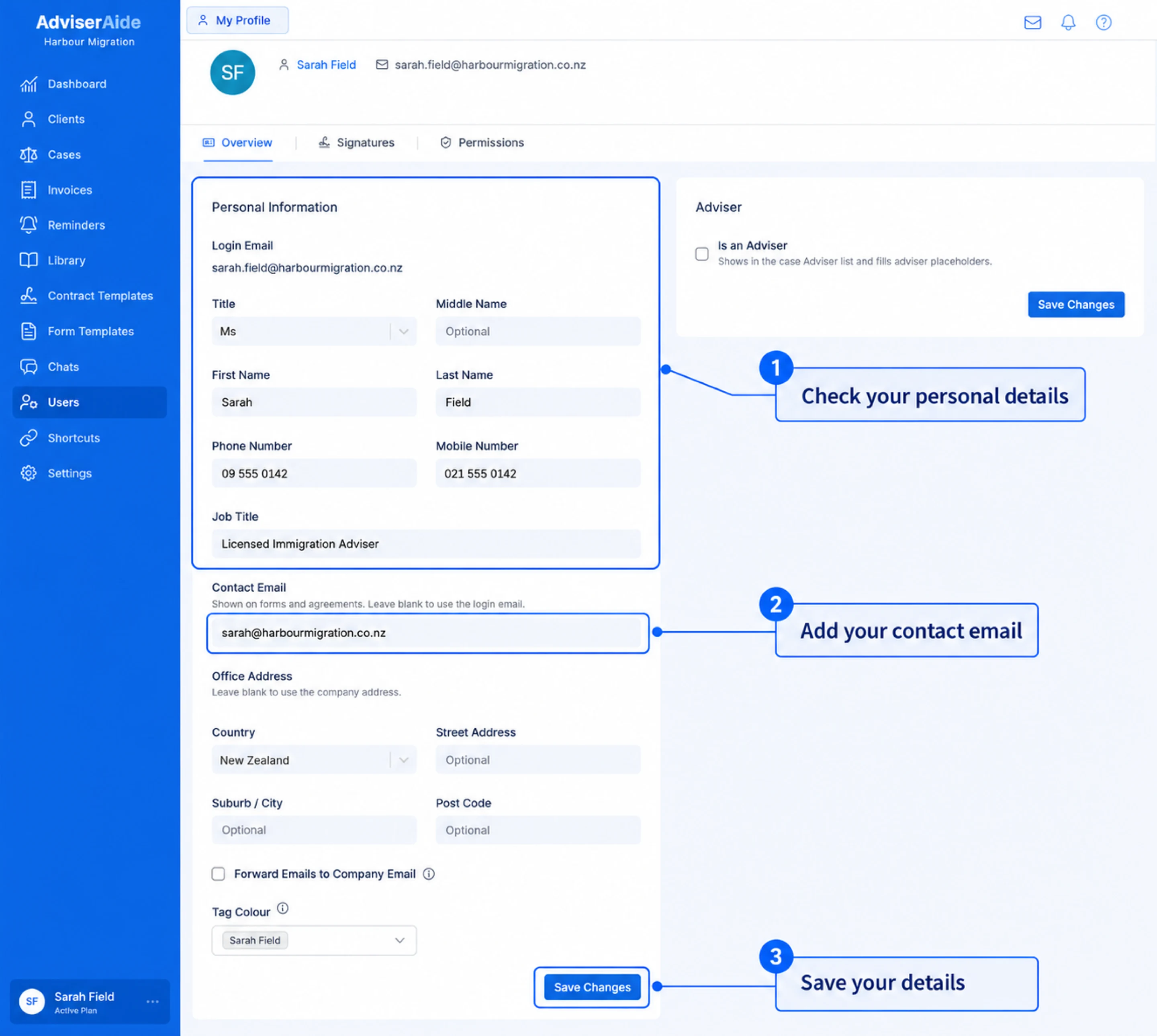
On the Overview tab, check the Personal Information card and fill in anything that is missing.
Your personal details on the Overview tab of My Profile
Title, First Name, Middle Name and Last Name - Your name as it should appear on agreements and forms.
Phone Number and Mobile Number - Your contact numbers.
Job Title - For example, Licensed Immigration Adviser.
Contact Email - The email address shown on forms and agreements. Leave it blank to use your login email.
Office Address - Leave it blank to use your company address. Only fill it in if you work from a different office.
Select Save Changes on the card to save your details.
3
Add your registration details
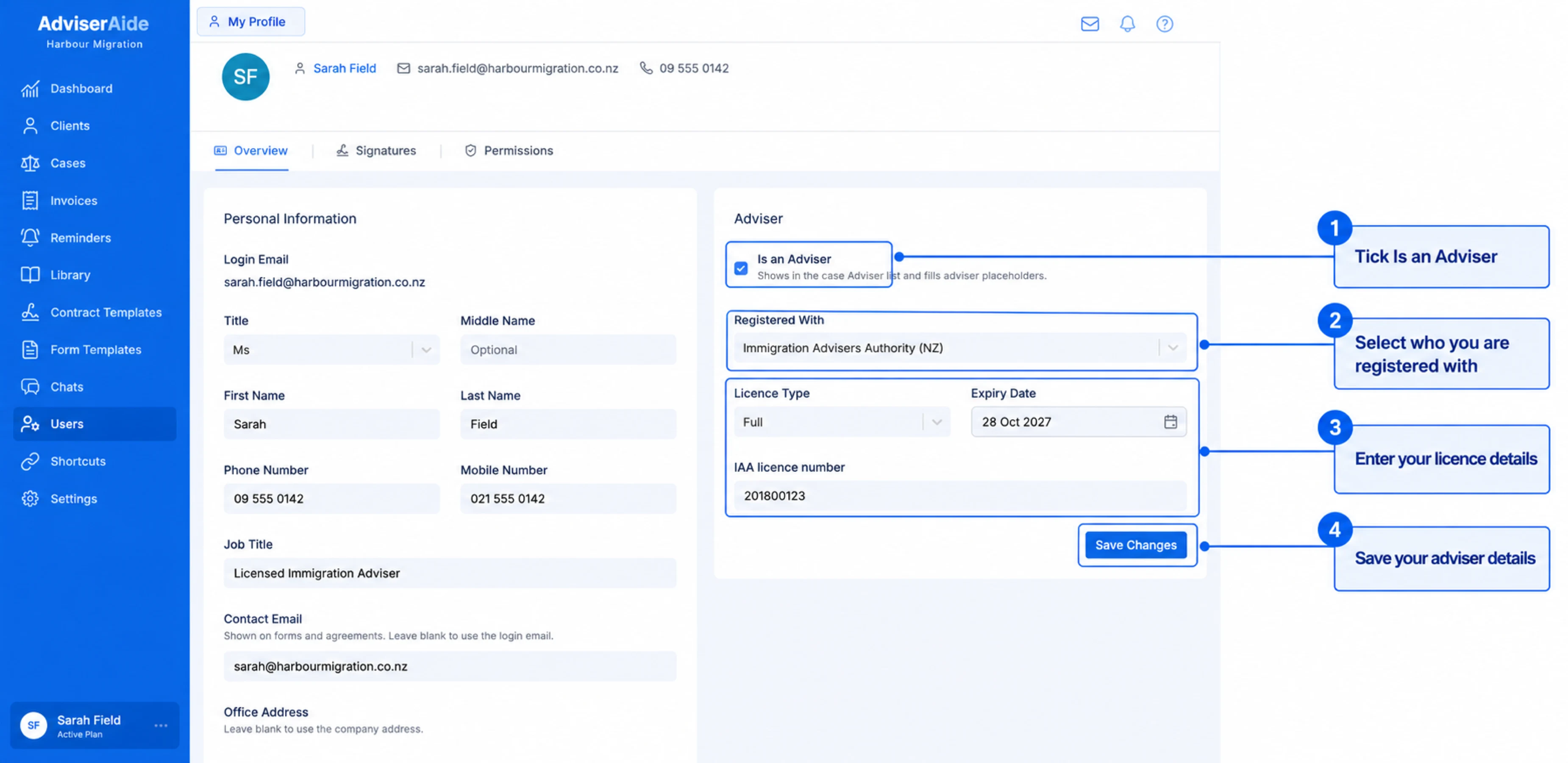
If you give immigration advice, tick Is an Adviser on the Adviser card (Is a Migration Agent in Australia). You can then be chosen on a case, and your details fill in the placeholders on agreements and forms.
Add your adviser registration on the Adviser card
The fields on the card change with your organisation’s practicing country. The screenshot above shows a New Zealand organisation.
New Zealand
Australia
Registered With - Select Immigration Advisers Authority (NZ) if you hold an IAA licence, or New Zealand Law Society if you are a lawyer. Choose Other if neither applies.
Licence Type - Select Full, Provisional, Limited or Exempt from licensing.
Expiry Date - When your licence expires.
IAA licence number - Your licence number. For the New Zealand Law Society the field is Practising certificate number.
Some licence types ask for more details:
Provisional - Enter your Supervisor’s first name, last name and IAA licence number. These are printed on agreements and forms by the supervisor placeholders.
Limited - Enter your Licence Conditions.
Exempt from licensing - Select your Exemption Reason, for example Community Law Centre or Offshore student visa advice only. Lawyers registered with the New Zealand Law Society don’t need to choose one.
Your licence details fill the adviser declaration on INZ forms and your client agreements.
If you are a registered migration agent (RMA), you see Migration Agent wherever New Zealand organisations see Adviser. The card is called Migration Agent and the checkbox is Is a Migration Agent.
Registered With - Select OMARA (MARN) if you are a registered migration agent, or Australian legal practitioner if you give immigration assistance as a lawyer. Choose Other if neither applies.
Licence Type - For OMARA, select Registered, or Exempt from licensing if you are exempt from registration. Australian legal practitioners use Legal practitioner.
Expiry Date - When your registration expires.
MARN - Your Migration Agent Registration Number. For an Australian legal practitioner the field is LPN, your Legal Practitioner Number.
Exemption Reason - Shown when you select Exempt from licensing. Select why you are exempt, for example Close family member (spouse, child, parent, brother or sister), Sponsor or Nominator.
Your MARN fills the migration agent details on Department of Home Affairs forms, such as the agent’s MARN and the registered migration agent question, and on your client agreements.
The registration number is required unless you are exempt. Select Save Changes on the card to save your registration details.
Each adviser or migration agent in your team should complete their own profile. Users who can manage users can also open a team member’s profile from Users and fill it in for them.